Stop Tab Clutter: Arc Browser Spaces Boost Focus 25%
Arc Browser Spaces offer a revolutionary approach to digital organization, effectively eliminating tab clutter and significantly boosting daily multitasking focus by 25% through dedicated, project-specific browser environments.
Are you constantly battling a sea of open tabs, struggling to maintain your focus amidst digital chaos? The innovative design of the Arc Browser Spaces promises a transformative solution, engineered to not only stop tab clutter but also dramatically boost your daily multitasking focus by an impressive 25%. This article delves into how Arc redefines browser organization, offering a new paradigm for productivity in our increasingly digital lives.
The relentless tide of tab clutter
In today's digital landscape, the average user often finds themselves drowning in a multitude of open browser tabs. This phenomenon, affectionately known as 'tab clutter,' is more than just an aesthetic annoyance; it's a significant impediment to productivity and mental clarity. Each additional tab represents a potential distraction, a fragment of an unfinished thought, or a task awaiting attention, collectively contributing to cognitive overload.
The human brain is not designed for endless simultaneous information processing. When faced with an overwhelming number of visual cues, such as dozens of open tabs, our ability to concentrate on a single task diminishes rapidly. This constant context switching, even if only perceived, exacts a heavy toll on our focus, leading to decreased efficiency and increased stress levels. Traditional browsers, while powerful, have largely failed to address this fundamental challenge, often exacerbating the problem by making it too easy to open new tabs without a clear organizational framework.
The impact extends beyond individual tasks. Long-term projects often require numerous resources, each residing in its own tab. Without a system to group these resources logically, users spend precious time searching for the right tab, reopening accidentally closed ones, and generally wrestling with their browser rather than engaging with their work. This inefficiency not only wastes time but also breaks the flow state crucial for deep work and creative problem-solving.
Understanding the cognitive cost of disorganized tabs
The cognitive load imposed by tab clutter is substantial. Each open tab competes for your attention, even if subconsciously. This constant background noise can lead to:
- Reduced attention span and difficulty sustaining focus on a single task.
- Increased decision fatigue as you navigate through countless options.
- Higher levels of stress and anxiety due to perceived unfinished work.
- Decreased memory recall as the brain struggles to prioritize information.
These cognitive costs are not merely theoretical; they translate directly into tangible losses in productivity and overall well-being. Recognizing this pervasive issue is the first step towards seeking more effective solutions for managing our digital workspaces.
Ultimately, the challenge of tab clutter is a design problem. Browsers have evolved to be powerful tools for information access, but they haven't always kept pace with the psychological demands of managing that information effectively. This is where innovative approaches, such, as those offered by Arc Browser Spaces, become not just useful, but essential for modern digital life.
Introducing Arc Browser: A fresh perspective on browsing
Arc Browser, developed by The Browser Company, is not just another web browser; it represents a fundamental rethinking of how we interact with the internet. From its sleek, minimalist interface to its powerful organizational features, Arc aims to transform the browsing experience from a chaotic chore into a streamlined, intuitive flow. It’s built on the Chromium engine, ensuring compatibility with existing web standards and extensions, but it introduces a host of proprietary features designed to enhance productivity and focus.
Unlike traditional browsers that prioritize a horizontal tab bar, Arc adopts a vertical sidebar approach, which is central to its organizational philosophy. This sidebar is not merely a different arrangement of tabs; it's a dynamic hub for all your browsing activities, integrating tabs, spaces, notes, and even mini-apps into a cohesive unit. The design ethos behind Arc is to get out of your way, allowing you to concentrate on the content rather than the browser itself.
The visual design is also a key differentiator. Arc allows for extensive customization, including themes and colors, which can be applied to individual spaces. This personalization isn't just cosmetic; it plays a crucial role in creating distinct environments for different tasks, reinforcing the mental separation between work, personal projects, and casual browsing. The aim is to make your browser feel less like a generic tool and more like a personalized workspace tailored to your unique needs.
Key design principles of Arc Browser
Arc is built on several core principles that set it apart from its competitors:
- Minimalism and focus: The browser interface fades into the background, prioritizing the content of the web page.
- Organization by context: Instead of a flat list of tabs, Arc encourages grouping based on tasks or projects.
- Personalization: Users can customize the look and feel of their browser to match their workflow and preferences.
- Integration of tools: Features like notes, whiteboards (Easels), and mini-apps are built directly into the browser.
These principles converge to create an environment where digital clutter is proactively managed, rather than merely reacted to. The browser is designed to anticipate your organizational needs, providing tools that make it easy to maintain order without constant manual intervention. This proactive approach is what truly sets Arc apart and lays the groundwork for its innovative 'Spaces' feature.
By offering a fresh perspective on browsing, Arc challenges the long-standing conventions of web interaction. It recognizes that the browser is no longer just a window to the internet but a central operating system for our digital lives, deserving of a design that supports deep work and efficient multitasking.
Unveiling Arc Browser Spaces: Your digital command center
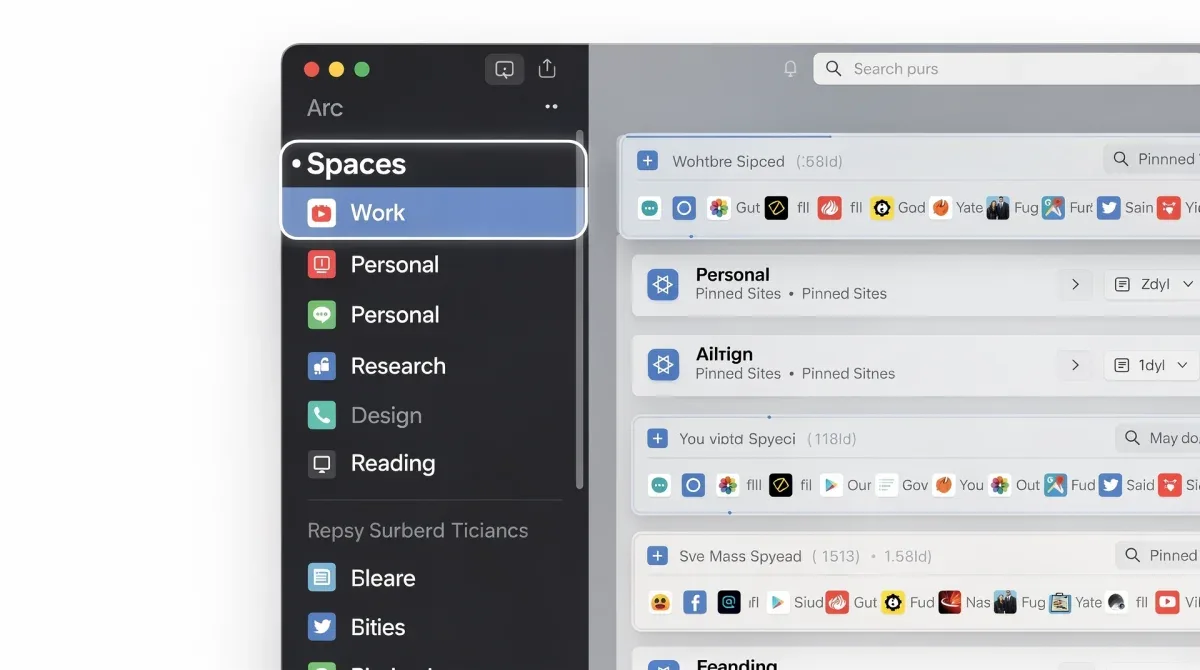
At the heart of Arc Browser's innovative approach to productivity lies its 'Spaces' feature. Spaces are essentially distinct, customizable browsing environments, each designed to house a specific set of tabs, pinned sites, and even mini-apps related to a particular project, task, or area of your life. Think of them as separate browser windows, but infinitely more integrated and intelligent, all living within one cohesive application.

The power of Spaces comes from their ability to create clear boundaries between different contexts. Instead of having all your work tabs, personal tabs, and research tabs mixed together in one overwhelming stream, you can compartmentalize them into dedicated Spaces. For example, you might have a 'Work' space, a 'Personal' space, a 'Project X' space, and a 'Research' space. Each space can have its own theme, color, and even a unique set of pinned tabs that persist across sessions, ensuring that your most important resources are always at your fingertips.
Switching between Spaces is incredibly fluid and intuitive, often done with a simple swipe gesture or a keyboard shortcut. This seamless transition minimizes the mental friction typically associated with context switching, allowing you to pivot from one task to another without losing your train of thought or getting lost in a sea of tabs. This is where Arc truly shines in its promise to boost multitasking focus.
How Spaces revolutionize tab management
- Contextual grouping: Tabs are automatically grouped by the Space they belong to, making it easy to see what's relevant to your current task.
- Persistent organization: Pinned tabs within a Space remain exactly where you leave them, providing a stable foundation for your projects.
- Visual cues: Each Space can have a unique color, offering an immediate visual indicator of your current context.
- Streamlined workflow: Switching between tasks becomes a deliberate act of moving between organized environments, rather than sifting through clutter.
Beyond simple tab grouping, Spaces can also integrate 'Easels' (Arc's built-in whiteboards for notes and ideas) and 'Notes' directly within them, further consolidating all resources related to a specific context. This holistic approach means that everything you need for a particular project is contained within its designated Space, eliminating the need to jump between different applications or browser windows.
By providing a structured yet flexible framework for managing your digital life, Arc Browser Spaces empower you to take control of your browsing experience. This level of organization not only helps to stop tab clutter but also creates a more focused and intentional approach to daily multitasking, ultimately leading to significant gains in productivity and mental well-being.
Boosting daily multitasking focus by 25%: The science behind Arc
The claim that Arc Browser Spaces can boost daily multitasking focus by 25% might seem ambitious, but it's grounded in principles of cognitive psychology and user experience design. The core problem with traditional browsing environments is the constant cognitive load imposed by visual clutter and the mental effort required for context switching. Arc addresses these issues head-on, creating an environment conducive to sustained focus.
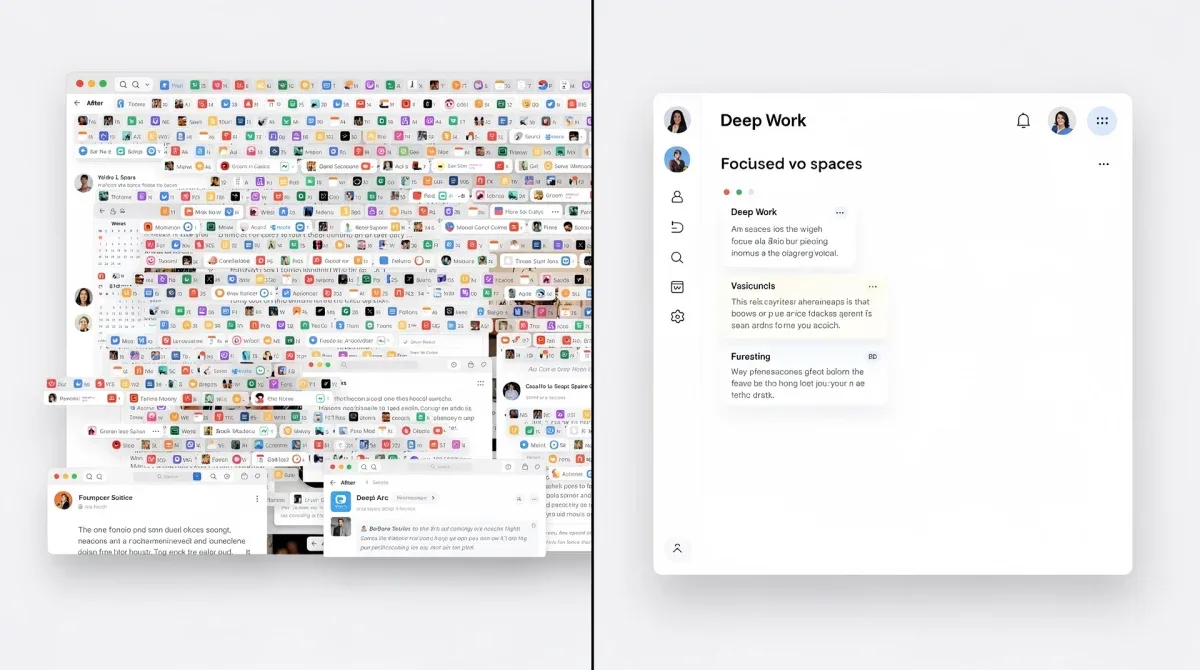
When you operate within a dedicated Space, your brain isn't constantly processing irrelevant visual information from other projects or personal browsing. Each Space acts as a mental container, limiting the scope of your current digital environment to only what's necessary for the task at hand. This reduction in extraneous stimuli directly translates to a decrease in cognitive load, freeing up mental resources that can then be directed towards the task itself.
Furthermore, the seamless transition between Spaces minimizes the 'switch cost' associated with moving from one task to another. In traditional browsers, switching contexts often involves a moment of disorientation as you re-evaluate a cluttered tab bar. With Arc, moving to a new Space instantly presents a curated environment, allowing you to immediately dive into the new task without mental overhead. This efficiency in context switching is a significant contributor to the reported productivity gains.

Psychological benefits of structured digital environments
The benefits extend beyond mere efficiency:
- Reduced decision fatigue: Fewer choices mean less mental drain throughout the day.
- Enhanced flow state: A focused environment makes it easier to enter and maintain a state of deep concentration.
- Improved memory: Contextual grouping aids in recalling where information is stored.
- Lower stress levels: A sense of control over your digital space reduces feelings of overwhelm.
Consider the analogy of a physical workspace. Imagine trying to work on a critical report on a desk littered with half-eaten snacks, personal mail, and items from a completely different project. Your ability to focus would be severely hampered. Arc Spaces apply the same principle to your digital desktop, providing a clean, organized environment for each specific activity. This deliberate design choice fosters a sense of calm and control, which is vital for maintaining focus over extended periods.
The 25% boost in focus isn't a magic number but a reflection of the cumulative effect of these design choices. By systematically removing distractions, streamlining context switching, and providing a psychologically supportive environment, Arc empowers users to harness their full cognitive potential, making their daily multitasking not just manageable, but genuinely productive.
Practical implementation: Setting up your Arc Spaces for maximum efficiency
To truly leverage the power of Arc Browser Spaces and achieve that significant boost in focus, a thoughtful setup is key. It's not enough to simply create a few spaces; you need to design them around your specific workflow and daily needs. The beauty of Arc lies in its flexibility, allowing for highly personalized configurations that adapt to how you work and live.
Start by identifying the main categories of your digital activities. Do you have a primary job, a side project, personal browsing, and perhaps a dedicated space for learning or research? Each of these can become its own Space. For example, a 'Work' space might contain all your project management tools, communication platforms, and relevant documentation. A 'Personal' space could house your social media, streaming services, and online shopping sites. The goal is to create clear, distinct boundaries.
Within each Space, utilize pinned tabs for sites you access frequently. These could be your email client, a specific project dashboard, or a news site you check regularly. Pinned tabs stay at the top of your sidebar within their respective Space, always visible and easily accessible. Temporary tabs, which appear below pinned tabs, will automatically archive after a set period (or manually), preventing them from accumulating and causing clutter.
Tips for optimizing your Arc Spaces
- Color-code your Spaces: Assign a distinct color to each Space. This visual cue helps your brain quickly identify which context you're in, reducing mental effort.
- Name Spaces clearly: Use descriptive names like 'Client Project A,' 'Personal Admin,' or 'Learning & Development.'
- Use folders within Spaces: For very busy Spaces, organize pinned tabs into folders to further refine your organization.
- Integrate Easels and Notes: Use Arc's built-in Easels for brainstorming and Notes for quick thoughts directly within the relevant Space.
- Leverage keyboard shortcuts: Master shortcuts for switching Spaces and managing tabs to enhance fluidity.
Consider also the concept of 'profiles' within Spaces. While Arc doesn't have traditional browser profiles, you can effectively achieve a similar separation by using different Spaces for different accounts (e.g., a 'Work Google' Space and a 'Personal Google' Space). This ensures that cookies and login sessions remain isolated, further enhancing privacy and preventing accidental cross-contamination.
Regularly review and refine your Spaces. As your projects and needs evolve, so too should your browser organization. Archive old Spaces, create new ones, and adjust your pinned tabs as necessary. The initial setup is a starting point, and continuous optimization will ensure that Arc remains a powerful tool for maintaining focus and productivity in your dynamic digital life.
Beyond tabs: Additional features enhancing productivity in Arc
While Spaces are undoubtedly the flagship feature for combating tab clutter and boosting focus, Arc Browser offers a suite of other innovative functionalities that collectively contribute to a highly productive and streamlined browsing experience. These features are meticulously integrated into the Arc ecosystem, designed to complement Spaces and further enhance user efficiency, making it much more than just a tab manager.
One such feature is 'Easels,' which are essentially built-in whiteboards where you can freely collect images, text, links, and even embed live web pages. Easels are fantastic for brainstorming, mood boarding, or simply gathering research in a visual, non-linear format. They can be created within any Space, allowing you to keep your creative and research assets organized by context. This eliminates the need for external tools and keeps all your project-related information consolidated within your browser.
Another powerful addition is 'Notes.' These are quick, ephemeral notes that can be attached to any web page or simply exist within a Space. Perfect for jotting down immediate thoughts, action items, or key takeaways without opening a separate application. Notes are discreetly integrated into the sidebar, ensuring they are always accessible but never intrusive, further reducing context switching and maintaining your flow.
Arc's unique productivity toolkit
- Split view: Open two tabs side-by-side within the same window, perfect for comparing information or working on related tasks simultaneously.
- Boosts: Customize the look and feel of any website with custom CSS and JavaScript, allowing you to remove distracting elements or enhance functionality.
- Mini-player: Keep videos playing in a small, floating window while you browse other tabs, ideal for background listening or monitoring.
- Little Arc: A lightweight, temporary browser window that pops up for quick link previews, preventing new tabs from cluttering your main workspace.
The 'Archiving' feature is also a game-changer. Unlike traditional browsers where closing a tab often means losing it forever, Arc automatically archives tabs that haven't been used for a certain period. These archived tabs are still easily retrievable from the sidebar, providing a safety net and encouraging a clutter-free environment without the fear of losing important information. This intelligent archiving system is a passive yet highly effective way to manage the transient nature of many browsing activities.

These additional features demonstrate Arc's holistic approach to productivity. It's not just about managing tabs; it's about creating an entire digital ecosystem that anticipates user needs, minimizes distractions, and empowers a more focused and efficient workflow. By combining these tools with the power of Spaces, Arc truly sets a new standard for what a modern web browser can achieve.
The future of focused browsing: Arc's impact on digital habits
The introduction of Arc Browser and its innovative Spaces feature marks a significant turning point in how we approach web browsing and digital productivity. It challenges the long-standing paradigms of browser design, moving beyond a simple window to the internet towards a personalized, intelligent command center for our digital lives. The impact of Arc extends beyond mere software; it has the potential to reshape our digital habits and foster a more intentional approach to online engagement.
By making organization intuitive and seamless, Arc encourages users to be more deliberate about their digital spaces. The ease with which one can create and switch between dedicated environments naturally leads to a more structured workflow, reducing the impulsive opening of tabs and the subsequent accumulation of clutter. This shift from reactive tab management to proactive space organization is fundamental to fostering better digital habits.
Furthermore, Arc's emphasis on visual distinction and personalization within Spaces helps users mentally separate different contexts. This psychological segmentation is crucial for maintaining focus, as it trains the brain to associate specific tasks with specific visual environments, making context switching less jarring and more efficient. The browser becomes an extension of the user's thought process, rather than a barrier to it.
Anticipating the evolution of digital workspaces
Arc's design philosophy points towards several key trends for the future of digital tools:
- Hyper-personalization: Browsers will increasingly adapt to individual workflows and preferences.
- Contextual intelligence: Tools will become smarter at understanding and organizing information based on user intent.
- Integrated ecosystems: The lines between browser, operating system, and productivity apps will blur.
- Focus-first design: Software will prioritize minimizing distractions and maximizing user concentration.
The success of Arc could inspire other browser developers to re-evaluate their own designs, potentially leading to a new wave of innovation focused on user well-being and productivity. As our digital lives become increasingly complex, the demand for tools that help us manage this complexity will only grow. Arc is at the forefront of this movement, demonstrating what's possible when user experience and cognitive science are prioritized in software development.
Ultimately, Arc Browser Spaces offer more than just a solution to tab clutter; they provide a pathway to a more focused, less stressful, and ultimately more productive digital existence. By empowering users to take control of their online environments, Arc is not just changing how we browse, but how we work, learn, and interact with the vast expanse of the internet, setting a new standard for the future of focused browsing.
| Key Feature | Benefit to User |
|---|---|
| Arc Spaces | Organizes tabs by context, dramatically reducing clutter and enhancing focus. |
| Vertical Sidebar | Streamlines navigation and integrates all browsing elements into one central hub. |
| Easels & Notes | Built-in tools for brainstorming and quick note-taking, keeping ideas contextualized. |
| Intelligent Archiving | Automatically clears unused tabs while ensuring easy retrieval, maintaining a clean workspace. |
Frequently asked questions about Arc Browser Spaces
What exactly are Arc Browser Spaces?▼Arc Browser Spaces are customizable browsing environments within the Arc browser. They allow users to group related tabs, pinned sites, and even notes into distinct, organized sections. Each Space can be tailored with unique themes and colors, creating dedicated digital workspaces for different projects or areas of your life, significantly reducing tab clutter.
How do Spaces help boost multitasking focus?▼Spaces boost focus by creating clear boundaries between different tasks. By compartmentalizing tabs and resources, they reduce visual clutter and cognitive load, minimizing distractions. This allows users to switch contexts seamlessly without mental overhead, dedicating full attention to the current Space's content, thereby enhancing productivity during multitasking.
Is Arc Browser compatible with existing Chrome extensions?▼Yes, Arc Browser is built on the Chromium engine, which means it is fully compatible with most existing Chrome extensions. Users can easily install their favorite extensions from the Chrome Web Store directly into Arc, ensuring a familiar and personalized browsing experience without sacrificing functionality or utility from their preferred tools.
Can I customize the appearance of my Arc Spaces?▼Absolutely. Arc Browser offers extensive customization options for each Space. You can assign different colors and themes to individual Spaces, providing immediate visual cues for your current context. This personalization not only makes your browser more aesthetically pleasing but also reinforces mental separation between various projects and activities.
What happens to tabs I no longer need in a Space?▼Arc features an intelligent archiving system. Tabs that haven't been used for a certain period are automatically archived, keeping your Spaces clutter-free. These archived tabs are not deleted; they remain easily retrievable from the sidebar, providing a safety net and ensuring you can always access past information without explicitly managing every single tab.
Conclusion
Arc Browser Spaces represent a paradigm shift in how we manage our digital lives. By offering a meticulously designed framework for organizing tabs and digital resources, Arc effectively combats the pervasive issue of tab clutter, transforming a chaotic browsing experience into a streamlined, focused workflow. The strategic implementation of Spaces, coupled with Arc's suite of complementary productivity features, empowers users to regain control over their digital environments, leading to a tangible boost in daily multitasking focus and overall efficiency. As we navigate an increasingly information-rich world, tools like Arc are not just conveniences but essential allies in maintaining mental clarity and achieving peak productivity.
