Cut Cloud Storage Costs: Rclone for Multi-Cloud Backups
Rclone enables users to significantly cut cloud storage costs, potentially by 35%, through efficient management of multi-cloud backups, optimizing data placement and reducing redundant expenses across various providers.
Are you looking to significantly reduce your cloud storage expenses? Learning to cut cloud storage costs by 35% using Rclone to manage multi-cloud backups is not just a pipe dream; it's a tangible reality for those willing to embrace powerful, open-source tools. This guide will walk you through the process, offering practical insights and actionable steps to optimize your digital infrastructure and save a considerable amount of money.
Understanding the multi-cloud challenge and cost implications
The proliferation of cloud services has brought unprecedented flexibility and scalability to businesses and individuals alike. However, this flexibility often comes with a hidden cost: managing data across multiple platforms can quickly become complex and expensive. Understanding the nuances of multi-cloud environments is the first step toward effective cost optimization.
Many organizations adopt a multi-cloud strategy for various reasons, including vendor lock-in avoidance, disaster recovery, compliance requirements, and leveraging best-of-breed services from different providers. While these benefits are substantial, they can inadvertently lead to spiraling costs if not managed meticulously. Each cloud provider has its own pricing structure, often involving charges for storage, data transfer (egress fees), API requests, and operational overhead. Without a unified strategy, these individual costs can accumulate rapidly, eroding the perceived savings of cloud adoption.
The hidden costs of unmanaged multi-cloud strategies
- Egress fees: Moving data out of a cloud provider is often more expensive than moving it in. These charges can be a significant surprise for users unaware of the specific pricing models.
- Redundant storage: Data might be duplicated across different clouds without a clear inventory or management system, leading to unnecessary storage expenses.
- Operational overhead: Managing multiple vendor consoles and APIs adds complexity, requiring more time and resources from IT teams.
- Underutilized resources: Inefficient allocation of storage tiers or regions can mean paying for premium services when standard options would suffice.
The challenge isn't just about the raw cost of storage; it's about the entire ecosystem of data management. From data ingress and egress to snapshot management and object versioning, every operation contributes to the overall expenditure. A lack of visibility into these costs can prevent organizations from making informed decisions, ultimately hindering their ability to leverage cloud computing efficiently. This is where tools like Rclone become indispensable, offering a centralized approach to mitigate these challenges and bring transparency to multi-cloud operations.
In conclusion, while multi-cloud offers undeniable advantages, its cost implications demand careful attention. Unmanaged multi-cloud environments can quickly become a financial drain, making it crucial to implement strategies and tools that provide control and visibility over your cloud spending. Recognizing these challenges is the foundation for successfully cutting cloud storage costs.
Introducing Rclone: your multi-cloud data management Swiss Army knife
In the intricate landscape of cloud storage, Rclone emerges as a powerful, open-source command-line program designed to synchronize files and directories to and from various cloud storage providers. Think of it as a universal remote for your cloud data, allowing seamless interaction with over 70 different services, including Amazon S3, Google Drive, Microsoft Azure Blob Storage, Dropbox, and many more. Its versatility makes it an essential tool for anyone looking to optimize their cloud strategy.
Rclone operates by abstracting the complexities of each cloud provider's API, presenting a unified interface for data management. This means you can use the same commands to copy files from Google Drive to Dropbox as you would from a local disk to Amazon S3. This standardization significantly simplifies multi-cloud operations, reducing the learning curve and potential for errors when dealing with diverse platforms. It’s not just about moving data; it’s about having granular control over where your data resides and how it’s managed.
Key features that make Rclone indispensable
- Broad cloud support: Connects to virtually any major cloud storage service, offering unparalleled flexibility.
- Comprehensive commands: Supports a wide array of operations including copy, sync, move, delete, check, and more.
- Encryption: Built-in client-side encryption ensures your data is secure before it even leaves your local machine.
- Mounting: Can mount cloud storage as a local disk, making it accessible through your operating system's file explorer.
- Bandwidth limiting: Control the rate at which data is transferred, preventing saturation of your internet connection.
Beyond its core functionalities, Rclone is actively developed and supported by a vibrant community, ensuring regular updates and a wealth of resources for users. Its command-line interface, while initially daunting for some, offers immense power and scripting capabilities, allowing for automation of complex backup and synchronization tasks. This level of control is crucial when striving to cut cloud storage costs, as it enables precise management of data placement and movement.

In essence, Rclone transforms a fragmented multi-cloud environment into a cohesive, manageable system. By providing a single point of control for all your cloud storage needs, it empowers users to implement sophisticated data strategies that are both efficient and cost-effective. Its robust feature set and extensive compatibility make it an indispensable asset for anyone serious about optimizing their cloud footprint.
Strategizing for cost reduction with Rclone
Leveraging Rclone to cut cloud storage costs requires a strategic approach, moving beyond simple data transfers to intelligent data placement and lifecycle management. The core idea is to identify the most cost-effective cloud storage options for different types of data based on access frequency, retention policies, and compliance requirements. Rclone’s flexibility allows you to implement these strategies seamlessly across various providers.
One of the primary strategies involves tiering your data. Hot data, which is accessed frequently, might reside on a more expensive, high-performance storage tier. Cold data, rarely accessed but needing long-term retention, can be moved to cheaper archival storage. Rclone facilitates this by allowing you to define different remotes for various storage tiers within the same or different cloud providers. For instance, you could configure Rclone to move backups older than a certain period from Amazon S3 Standard to Glacier Deep Archive, realizing significant savings.
Implementing intelligent data tiering and lifecycle management
- Identify data access patterns: Categorize your data into hot, warm, and cold based on how often it's accessed.
- Map to cloud storage tiers: Match each data category to the most appropriate and cost-effective cloud storage tier (e.g., S3 Standard for hot, S3 Infrequent Access for warm, Glacier for cold).
- Automate transfers with Rclone: Use Rclone scripts to automatically move data between tiers or providers based on predefined rules (e.g., age of files).
- Leverage different provider strengths: Utilize specific cloud providers known for their competitive pricing in certain storage tiers (e.g., Google Cloud Storage Nearline for infrequent access, Backblaze B2 for general purpose).
Another powerful strategy is to minimize egress fees. Data transfer costs, especially when moving data out of a cloud provider, can quickly negate any storage savings. Rclone allows you to intelligently plan your data architecture to minimize these transfers. For example, if you frequently access certain backup data, storing it in a region closer to your primary operations or replicating it to a secondary, cheaper cloud provider with lower egress fees could be beneficial. Rclone's ability to perform server-side copies between different cloud storage services (if supported by the providers) can also help reduce local bandwidth usage and associated costs.
Furthermore, Rclone can be used to deduplicate and compress data before uploading, further reducing the amount of storage required and, consequently, the costs. While Rclone itself doesn't offer built-in deduplication, it integrates well with external tools that perform this function. By strategically combining these approaches, organizations can achieve substantial cost reductions without compromising data availability or integrity. The key is to be proactive and analytical about your data's journey across the cloud.
Ultimately, a well-thought-out strategy using Rclone goes beyond simply moving files; it involves optimizing every aspect of your cloud storage to align with your financial goals. By intelligently tiering data, minimizing egress, and leveraging the strengths of multiple providers, you can unlock significant savings and achieve a more efficient cloud infrastructure.
Setting up Rclone for multi-cloud backups
Getting Rclone configured for multi-cloud backups is a straightforward process, but it requires careful attention to detail for each cloud provider you intend to use. The initial setup involves installing Rclone and then configuring "remotes" for each of your cloud storage services. A remote is essentially a connection profile that Rclone uses to interact with a specific cloud account.
To begin, download and install Rclone from its official website, following the instructions for your operating system. Once installed, open your terminal or command prompt and type rclone config. This command launches an interactive wizard that guides you through creating and managing your remotes. You'll be prompted to choose a storage type, provide credentials (API keys, access tokens, etc.), and often a unique name for your remote.
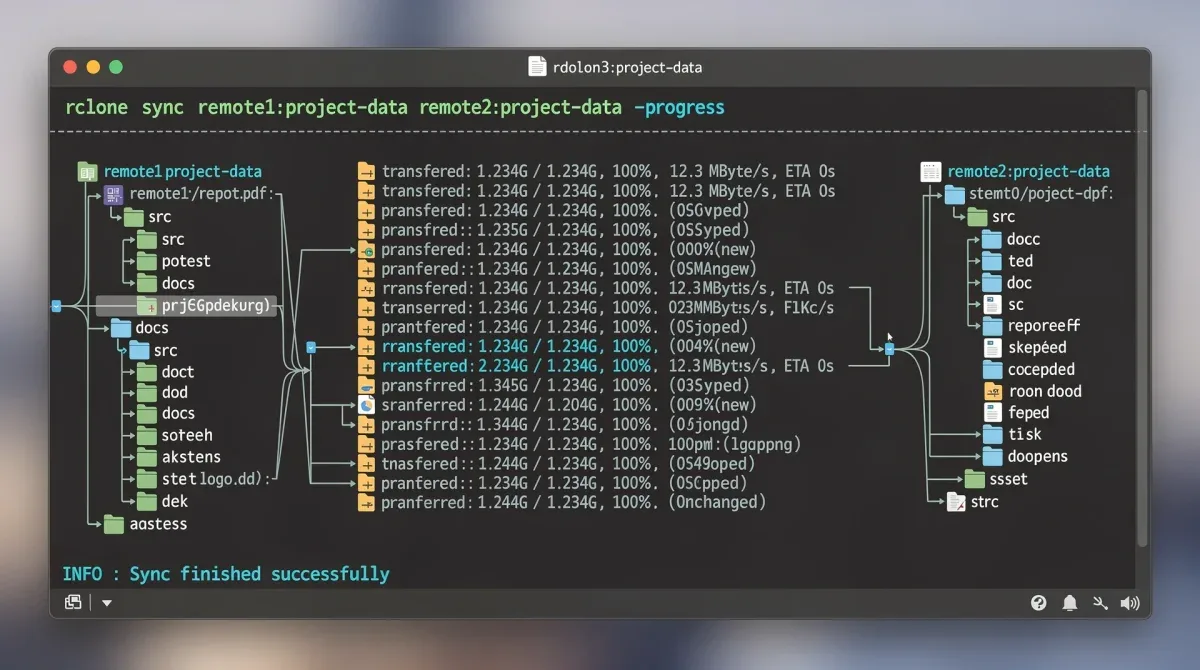
Step-by-step configuration for a typical cloud provider (e.g., Google Drive)
- Start configuration: Type
rclone configand press 'n' for new remote. - Name your remote: Give it a descriptive name like 'gdrive_backup'.
- Choose storage type: Select 'Google Drive' from the list of options.
- Authentication: Follow the browser-based authentication flow. Rclone will provide a URL to open in your web browser, where you'll grant access to your Google Drive account.
- Advanced options: For most users, the default advanced options are sufficient.
- Confirm: Review the configuration and confirm.
Repeat this process for every cloud provider you wish to integrate into your multi-cloud backup strategy. Each remote will have its own unique configuration steps, often involving obtaining API keys or setting up OAuth flows through the respective cloud provider's console. It's crucial to securely store these credentials and ensure that Rclone has the necessary permissions to perform its intended operations (e.g., read/write access to specific buckets or folders).
Once all your remotes are configured, you can start using Rclone commands to manage your data. For example, to copy files from a local directory to your 'gdrive_backup' remote, you would use rclone copy /path/to/local/data gdrive_backup:your_folder. For syncing, which makes the destination identical to the source, you'd use rclone sync. Understanding the subtle differences between these commands is vital to prevent accidental data loss.
The setup process, while requiring initial effort, lays the groundwork for a robust and cost-effective multi-cloud backup system. By carefully configuring each remote and understanding Rclone's various commands, you gain the power to automate complex data management tasks, ensuring your backups are not only secure but also optimized for cost efficiency.
Advanced Rclone techniques for maximum savings
Beyond basic copy and sync operations, Rclone offers a suite of advanced features that can be harnessed to achieve even greater cost reductions in your cloud storage strategy. These techniques often involve combining Rclone's capabilities with scripting and a deep understanding of cloud provider pricing models.
One powerful technique is the use of Rclone's --filter and --exclude options. These allow you to precisely control which files are transferred, preventing unnecessary uploads of temporary files, logs, or other data that doesn't need to be backed up. By filtering out irrelevant data, you reduce both storage consumption and data transfer volumes, directly impacting your costs. For example, you might exclude all files ending in .tmp or folders named node_modules from your backups.
Leveraging advanced Rclone features for cost efficiency
- Encryption: Use Rclone's built-in client-side encryption. This not only enhances security but can also allow you to use cheaper, less secure cloud storage options without compromising data privacy, as your data is encrypted before it leaves your machine.
- Remote-to-remote transfers: When supported by providers, Rclone can initiate direct transfers between two cloud remotes without downloading data to your local machine first. This saves local bandwidth and can reduce egress fees if the providers are strategically chosen.
- Bandwidth limiting: The
--bwlimitflag allows you to control upload/download speeds. While not directly saving money, it helps manage network resources, preventing costly overages on metered connections and ensuring other critical services aren't impacted. - Dry run: Always use the
--dry-runflag with potentially destructive commands (likesyncordelete) to preview what Rclone would do without actually making changes. This prevents costly mistakes.
Another advanced technique involves creating sophisticated backup rotation schemes using Rclone and cron jobs (on Linux/macOS) or Task Scheduler (on Windows). For instance, you could configure Rclone to maintain daily backups for a week, weekly backups for a month, and monthly backups for a year, moving older backups to progressively cheaper archival storage tiers. This ensures you retain necessary historical data without incurring high costs for rarely accessed older versions.
Furthermore, Rclone's ability to mount cloud storage as a local filesystem opens up possibilities for applications that expect local file access to interact with cloud data. This can eliminate the need for expensive local storage solutions or complex integrations, streamlining workflows and potentially reducing infrastructure costs. The key is to experiment with Rclone's vast array of options and integrate them into your automated scripts, turning manual, costly processes into efficient, automated ones.
By mastering these advanced Rclone techniques, you move beyond basic cloud data management to a truly optimized and cost-effective multi-cloud strategy. The ability to precisely control data flow, secure data, and automate complex tasks empowers you to achieve significant savings while maintaining robust backup and recovery capabilities.
Real-world examples and potential savings
To truly appreciate the power of Rclone in cutting cloud storage costs, it's helpful to look at real-world scenarios where its implementation has led to significant savings. These examples demonstrate how strategic use of Rclone can translate into tangible financial benefits for both individuals and organizations.
Consider a small business that uses Google Drive for active document collaboration but needs long-term archival for legal and compliance reasons. Instead of paying for expensive Google Drive storage for old, infrequently accessed files, they can use Rclone to automatically move files older than six months to a cheaper Amazon S3 Glacier Deep Archive bucket. This simple automation, run monthly, could reduce their Google Drive storage footprint by 30-40%, leading to substantial monthly savings on their cloud bill.
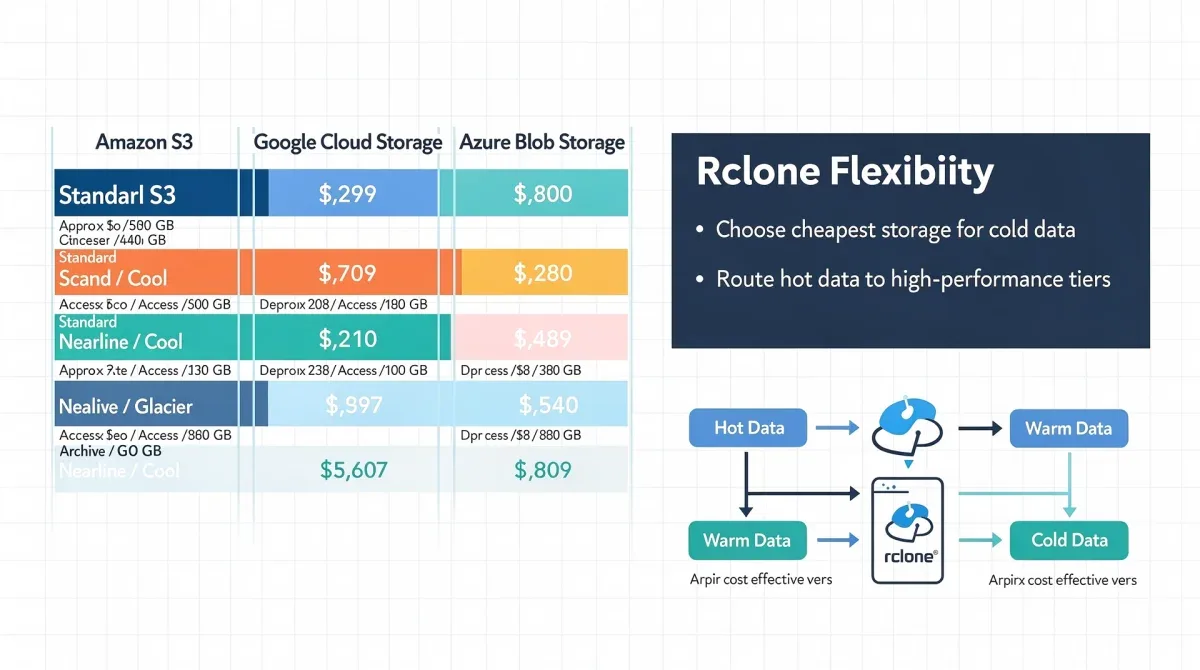
Case study: media production company
A media production company generates terabytes of raw footage daily. They initially stored everything on a premium cloud storage service for immediate access during editing. However, only a fraction of the footage was actively used after a few weeks. By implementing Rclone, they established a tiered backup strategy:
- Initial upload: All raw footage goes to a high-performance, higher-cost cloud storage for 30 days.
- Mid-term storage: After 30 days, Rclone moves footage not marked for active projects to a cheaper infrequent access tier (e.g., Azure Cool Blob Storage).
- Long-term archive: After 90 days, Rclone automatically transfers footage to an ultra-low-cost archival tier (e.g., Backblaze B2 or AWS S3 Glacier).
This strategy reduced their overall cloud storage costs by an estimated 35-40%, without impacting their operational workflow. The key was Rclone's ability to automate these transitions across different providers and storage classes, ensuring data was always in the most cost-effective location.
Another common scenario involves disaster recovery. Instead of replicating entire datasets to an identical, expensive secondary cloud region, Rclone can be configured to create highly compressed and encrypted backups to a significantly cheaper cloud provider that specializes in cold storage. In the event of a primary site failure, Rclone can then be used to restore the necessary data, albeit with a slightly longer recovery time, but at a fraction of the ongoing cost of full replication.
These examples illustrate that the 35% cost reduction is not an arbitrary figure but an achievable goal through intelligent data management with Rclone. The potential savings grow with the volume of data managed and the complexity of the multi-cloud environment. By carefully analyzing data access patterns, choosing appropriate storage tiers, and automating transfers with Rclone, both individuals and enterprises can unlock substantial financial benefits.
The real power of Rclone lies in its adaptability. It's not a one-size-fits-all solution, but a versatile tool that enables users to craft bespoke data management strategies tailored to their specific needs and budget constraints. The examples demonstrate that with a little planning and the right tool, significant cost savings are well within reach.
Maintaining and optimizing your Rclone setup
Implementing Rclone for multi-cloud backups is an excellent first step towards cost reduction, but ongoing maintenance and optimization are crucial to sustain these savings and ensure the reliability of your data management strategy. Cloud environments are dynamic, with pricing models and service offerings evolving, necessitating a vigilant approach to your Rclone setup.
Regularly reviewing your Rclone configurations and scripts is paramount. Over time, data access patterns might change, or new, more cost-effective storage tiers might become available from your providers. Periodically auditing your cloud bills against your Rclone operations can reveal discrepancies or opportunities for further optimization. For instance, if you notice high egress fees from a particular cloud, you might reconsider your data placement strategy or explore options for server-side transfers.
Best practices for ongoing Rclone maintenance
- Monitor logs: Regularly check Rclone's log files for errors, warnings, or unexpected behavior during transfers. This helps identify issues before they become critical.
- Test backups: Periodically perform test restores of your backups to ensure data integrity and that your recovery process works as expected. This is a non-negotiable step for any backup strategy.
- Stay updated: Keep Rclone updated to the latest version. New versions often include bug fixes, performance improvements, and support for new cloud services or features.
- Review cloud provider changes: Stay informed about changes in your cloud providers' pricing, terms of service, and new storage offerings. Adjust your Rclone strategy accordingly.
- Optimize scheduling: Ensure your Rclone jobs are scheduled during off-peak hours (if applicable) to avoid network congestion or take advantage of specific provider pricing windows.
Consider implementing a robust error handling mechanism within your Rclone scripts. This could involve sending email notifications upon failure, retrying operations, or logging detailed error messages for later analysis. A silent failure in a backup routine can be catastrophic, negating all the cost savings if data is lost.
Furthermore, as your data grows, so does the complexity of its management. It might be beneficial to transition from simple scripts to more sophisticated orchestration tools that can manage Rclone jobs, monitor their status, and provide a centralized view of your multi-cloud data. Tools like Apache Airflow or even simple cron job managers can help in scaling your Rclone operations effectively.
In summary, while Rclone provides the tools for significant cost savings and efficient multi-cloud management, its effectiveness is sustained through continuous vigilance and proactive optimization. Regular reviews, testing, and staying informed about cloud ecosystem changes are key to maintaining a reliable and cost-effective data strategy. This ongoing commitment ensures that your investment in Rclone continues to deliver maximum value.
| Key Aspect | Brief Description |
|---|---|
| Multi-Cloud Challenges | Unmanaged multi-cloud leads to high egress fees, redundant storage, and operational overhead. |
| Rclone's Role | A versatile CLI tool for syncing and managing files across 70+ cloud storage providers. |
| Cost Reduction Strategy | Implement data tiering, minimize egress, and automate transfers to cheaper storage. |
| Ongoing Optimization | Regularly review configurations, monitor logs, and test backups to sustain savings. |
Frequently asked questions about Rclone and cloud costs
What is Rclone and how does it help save cloud storage costs?▼Rclone is an open-source command-line program that synchronizes files and directories to and from various cloud storage providers. It helps save costs by enabling efficient multi-cloud management, allowing users to move data to cheaper storage tiers or providers, minimize egress fees, and avoid vendor lock-in with flexible data placement.
Can Rclone encrypt my data before it's uploaded to the cloud?▼Yes, Rclone includes built-in client-side encryption. This means your data is encrypted on your local machine before it is sent to any cloud provider. This feature significantly enhances data security and allows you to utilize less expensive cloud storage options without compromising privacy.
Is Rclone difficult to set up for a beginner?▼While Rclone is a command-line tool, its initial setup is guided by an interactive configuration wizard (rclone config). This wizard simplifies the process of connecting to various cloud providers. Basic operations like copying and syncing are straightforward, though advanced features require more familiarity with command-line usage.
Potential savings vary widely based on your current cloud usage, data volume, and strategic implementation. However, many users and businesses report savings of 20-40% or more by optimizing data tiering, reducing egress fees, and leveraging cost-effective providers through Rclone's capabilities.
What are the risks of using Rclone for multi-cloud backups?▼The primary risks include misconfiguration leading to data loss or unintended deletions, especially with commands like sync. It's crucial to use --dry-run for testing, understand each command thoroughly, and implement proper backup strategies. Security of API keys and credentials is also paramount to prevent unauthorized access.
Conclusion
The journey to significantly cut cloud storage costs, potentially by 35% or more, is not merely about finding the cheapest provider; it's about intelligent, strategic data management across a multi-cloud landscape. Rclone emerges as an indispensable tool in this endeavor, offering unparalleled flexibility and control over your digital assets. By enabling seamless interaction with a vast array of cloud services, Rclone empowers users to implement sophisticated data tiering, minimize costly egress fees, and automate complex backup routines. The ability to move data to the most cost-effective storage tiers, encrypt it for enhanced security, and manage it all from a unified interface transforms what could be a financial drain into an optimized, efficient operation. While the initial setup and ongoing maintenance require diligence, the long-term benefits in terms of cost savings and improved data resilience make Rclone an essential component for any modern cloud strategy. Embracing Rclone means taking control of your cloud costs and ensuring your data is where it needs to be, securely and economically.
