7 Advanced Raycast Scripts: Replace 12 Paid Mac Utilities in 2026
Seven advanced Raycast scripts are revolutionizing Mac productivity by consolidating the functionalities of at least twelve paid utilities, offering robust automation and efficiency gains for users in 2026.
In the evolving landscape of Mac productivity, the quest for efficiency often leads to a myriad of paid utilities. However, with the rise of powerful, customizable tools, smart users are discovering that Raycast scripts Mac can replace a substantial number of these subscriptions, streamlining workflows and saving significant costs. This article delves into seven advanced Raycast scripts poised to redefine your Mac experience in 2026.
Unlocking Mac Productivity with Raycast's Power
Raycast has emerged as a formidable command launcher and productivity tool for macOS users, transcending the capabilities of its predecessors. Its true potential lies in its extensibility, allowing users to create or integrate custom scripts that automate complex tasks. This section explores how Raycast's architecture fosters an environment where a single, versatile application can absorb the functions of multiple specialized, often paid, utilities.
The philosophy behind Raycast is simple yet profound: provide a unified interface for all your digital interactions. Instead of switching between various apps for different tasks—be it managing windows, expanding text, or converting units—Raycast centralizes these actions. This not only declutters your dock and menu bar but also drastically reduces the cognitive load associated with context switching, leading to a more fluid and focused workflow. The community-driven aspect of Raycast further amplifies its value, with developers constantly contributing new extensions and scripts that push the boundaries of what's possible.
The open-source advantage and community contributions
One of Raycast's most compelling features is its vibrant, open-source community. This collaborative ecosystem means that a vast library of extensions and scripts is readily available, often free of charge. Users can leverage the collective intelligence of developers worldwide, tapping into solutions for almost any productivity challenge. This model stands in stark contrast to proprietary software, where innovation is often confined within a single company's roadmap.
- Rapid innovation: New scripts and features are developed and released constantly by a global community.
- Diverse functionality: A wide array of tools covering everything from system control to specific application integrations.
- Cost-effectiveness: Many powerful extensions are free, directly challenging the need for paid alternatives.
- Customization: Users can modify existing scripts or create their own to perfectly fit unique workflows.
By embracing Raycast, users are not just adopting a new tool; they are joining a movement towards more open, flexible, and user-centric software. This shift allows for greater control over one's digital environment and fosters an adaptive approach to productivity, ensuring that your tools evolve with your needs without incurring perpetual subscription fees.

Script 1: Advanced Clipboard Manager & History
For many Mac users, a dedicated clipboard manager is an indispensable tool, often coming with a monthly or annual subscription. These utilities typically track your clipboard history, allow searching, and provide quick access to previously copied items. However, Raycast offers a powerful, free alternative that not only replicates but often enhances these features, effectively replacing paid apps like Paste or Maccy.

The advanced clipboard manager script within Raycast goes beyond simple history tracking. It allows for intelligent filtering, snippet management, and even integration with other Raycast commands. Imagine copying a piece of code, a URL, and a paragraph of text; with this script, you can quickly recall any of these items, filter by type, and even paste them into specific applications with a custom format. This level of sophistication provides a seamless experience that paid alternatives struggle to match in terms of integration and speed.
Key functionalities replacing paid apps
This Raycast script bundles functionalities typically found in multiple paid applications, making it a true all-in-one solution for clipboard management.
- Extensive history: Stores a vast number of copied items, easily searchable by keyword or application.
- Snippet management: Allows saving frequently used text snippets for quick insertion, eliminating the need for text expanders.
- Image and file support: Handles various data types beyond plain text, including images and file paths.
- Smart pasting: Offers options to paste as plain text, rich text, or even apply custom transformations before pasting.
The ability to manage snippets directly from the clipboard history is a game-changer. Instead of relying on a separate text expander like TextExpander or Typinator, you can designate frequently used phrases or code blocks within your clipboard history as permanent snippets. This integration reduces context switching and simplifies your workflow, ensuring that your most valuable information is always just a few keystrokes away, all without a recurring cost.
Script 2: Universal Window & Application Manager
Managing multiple windows and applications efficiently is a cornerstone of productivity on a Mac. Paid utilities like Magnet, Moom, or Rectangle Pro offer advanced window snapping and arrangement features. Raycast's universal window and application manager script provides a free, highly customizable solution that can replicate and even surpass these functionalities, offering unparalleled control over your screen real estate.
This script allows you to precisely position and resize windows using keyboard shortcuts or simple commands. You can snap windows to halves, quarters, or custom grid layouts. Beyond simple snapping, it can remember application window states, allowing you to restore complex layouts with a single command. This is particularly useful for users who frequently switch between different workspaces or need specific application arrangements for different tasks.
Advanced features for seamless workflow
The Raycast window manager is not just about basic snapping; it includes advanced features that mimic and improve upon paid utilities, offering a holistic window management experience.
- Customizable layouts: Define your own window sizes and positions for specific applications or workflows.
- Multi-monitor support: Seamlessly manage windows across multiple displays with dedicated commands.
- Application-specific rules: Create rules to automatically arrange windows when an application is launched.
- Quick switching: Jump between applications and their specific windows with intelligent fuzzy search.
By integrating window management directly into Raycast, you eliminate the need for a separate application running in the background, freeing up system resources. The ability to control windows with a few keystrokes from a central command palette makes your interactions faster and more intuitive, reducing the time spent manually arranging windows and increasing your focus on the actual work at hand.
Script 3: Enhanced System Monitoring & Control
Keeping an eye on your Mac's performance and having quick access to system controls usually involves dedicated utilities like iStat Menus or CleanMyMac X. While these offer comprehensive features, many essential monitoring and control functions can be consolidated into a single Raycast script. This script provides vital system information and quick actions, replacing the need for multiple paid monitoring tools.
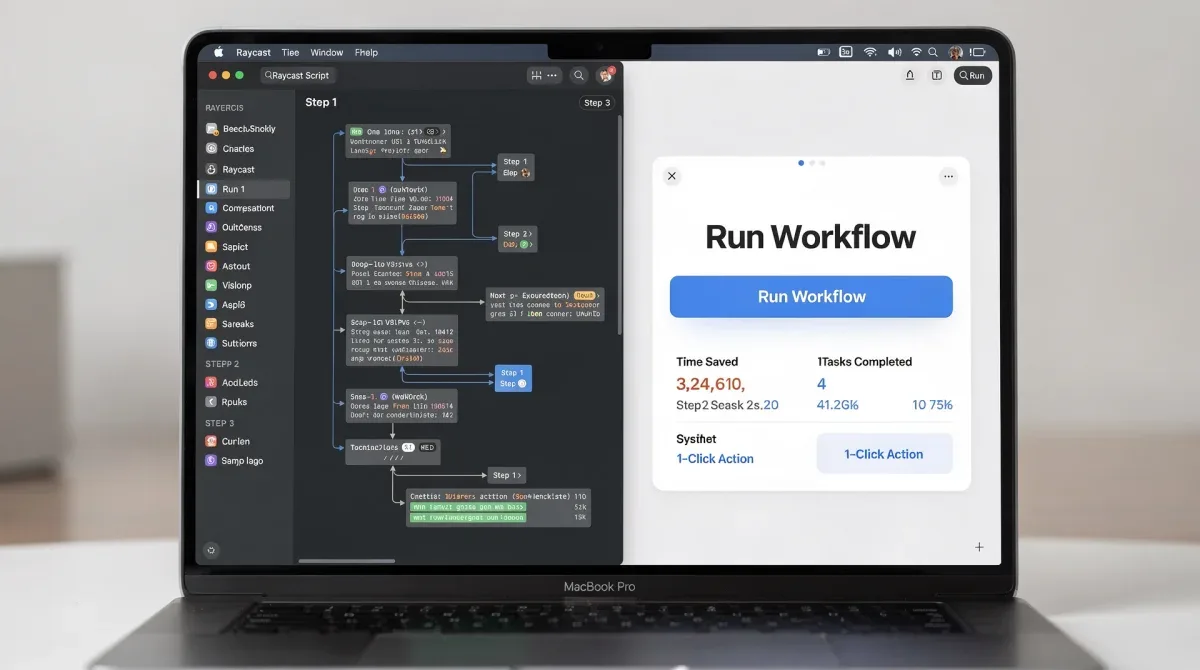
The enhanced system monitoring script allows you to quickly check CPU usage, memory consumption, network activity, and even battery health. Beyond just displaying information, it provides actionable controls such as emptying trash, clearing cache, or quitting unresponsive applications. This integration means you can perform maintenance tasks and troubleshoot performance issues directly from the Raycast interface, without navigating through system preferences or opening separate utility apps.
Consolidated system insights and actions
This powerful script brings together disparate system functionalities into a single, accessible interface, simplifying how you interact with your Mac's core operations.
- Real-time resource monitoring: View CPU, RAM, disk, and network usage at a glance.
- Battery health details: Get detailed information on battery cycles, health, and current power status.
- Quick system actions: Commands for emptying trash, quitting all applications, or restarting/shut down.
- Application process management: Identify and terminate resource-intensive applications without opening Activity Monitor.
The beauty of this Raycast script lies in its ability to provide immediate insights and actions. Instead of having a menubar full of icons from various monitoring apps, you can access all critical system data and perform maintenance with a simple command. This not only streamlines your digital workspace but also empowers you with greater control over your Mac's performance, ensuring it runs smoothly without the overhead of additional software.
Script 4: Advanced Text Manipulation & Conversion
Text manipulation is a common task for developers, writers, and anyone dealing with digital content. Paid utilities like TextSoap or various online converters offer features for case conversion, encoding/decoding, and string transformations. A sophisticated Raycast script can consolidate these functionalities, providing a free, powerful tool for all your text manipulation needs, directly within your command launcher.
This script can perform a wide array of text transformations: converting text to uppercase, lowercase, title case, or snake_case; encoding/decoding URLs or Base64 strings; stripping HTML tags; or even performing regular expression replacements. The real advantage is the speed and accessibility. Instead of copying text, opening a dedicated app or website, pasting, processing, and then copying back, you can select text, invoke Raycast, apply a transformation, and have the result immediately on your clipboard or pasted directly.
Streamlining text workflows for efficiency
By integrating advanced text manipulation into Raycast, you eliminate several steps and external tools, making your text-based tasks significantly more efficient.
- Case conversions: Quickly change text to various cases (e.g., camelCase, kebab-case, PascalCase).
- Encoding/decoding: Handle URL encoding, Base64, and other common encoding schemes.
- String operations: Trim whitespace, remove duplicate lines, or sort lines alphabetically.
- Custom transformations: Ability to add your own regex-based replacements or custom scripts for specific needs.
The versatility of this Raycast script means you no longer need to rely on a collection of single-purpose text utilities or web-based converters that often expose your data to third-party servers. All transformations are performed locally and instantly, enhancing both productivity and data privacy. This script is a powerful addition for anyone who regularly works with text and seeks to optimize their workflow.
Script 5: Project & Task Management Integration
For many professionals, juggling projects and tasks across various platforms like Asana, Trello, Jira, or even simple to-do apps can be cumbersome. While these platforms have their own interfaces, a Raycast script can act as a universal bridge, allowing you to create, update, and search tasks directly from your command line. This integration effectively replaces the need for context switching between multiple project management dashboards, saving valuable time and mental energy.
This advanced script connects to your preferred task management services through their APIs, enabling you to quickly add new tasks, mark existing ones as complete, or search for specific projects without ever opening your web browser or dedicated app. Imagine being in the middle of an email, remembering a task, and instantly adding it to your to-do list with a few keystrokes, then seamlessly returning to your email. This level of fluidity is what this Raycast integration delivers.
Unified access to project essentials
This script transforms how you interact with your project management tools by providing a centralized command interface, making task management less of a chore and more of an integrated part of your workflow.
- Quick task creation: Add new tasks with titles, descriptions, due dates, and assignees directly.
- Task status updates: Mark tasks as complete, in progress, or change priorities on the fly.
- Project search & filtering: Find specific tasks or projects across all integrated services with powerful search capabilities.
- Calendar integration: View upcoming tasks and deadlines alongside your calendar events.
The key benefit here is the reduction in friction. By bringing task management into Raycast, you remove the barrier of navigating complex interfaces or switching applications. This makes you more likely to capture ideas, update progress, and stay on top of your commitments, ultimately leading to better project execution and overall productivity without the need for additional, often expensive, productivity suites.
Script 6: Advanced File & Folder Operations
Mac's Finder is capable, but advanced file and folder operations often require third-party utilities like Commander One or ForkLift for features like batch renaming, deep search, or quick file manipulation. A powerful Raycast script can provide many of these advanced capabilities, turning your command launcher into a robust file management hub, potentially replacing several paid file utility subscriptions.
This script allows you to perform complex file operations with remarkable speed. You can search for files and folders using advanced criteria, move or copy items to specific destinations, create new folders, or even perform batch renaming based on patterns. The ability to execute these actions directly from Raycast, often with fuzzy matching and intelligent suggestions, makes file management significantly more efficient than traditional drag-and-drop methods or navigating deep folder structures.
Optimizing your digital filing system
By centralizing file operations within Raycast, you gain a powerful, keyboard-driven interface for managing your digital assets, surpassing the limitations of standard file browsers.
- Deep search capabilities: Locate files based on content, metadata, or specific attributes beyond simple names.
- Batch renaming: Apply consistent naming conventions to multiple files simultaneously.
- Quick actions: Compress, decompress, delete, or duplicate files with a single command.
- Directory navigation: Jump to frequently accessed folders or specific paths instantly.
The efficiency gained from this Raycast script is substantial, especially for users who deal with large volumes of files or complex directory structures. It minimizes the time spent on mundane file management tasks, allowing you to focus on more productive work. This script effectively consolidates the functionalities of several niche file utilities into a single, accessible, and free solution, enhancing your overall Mac experience.
Script 7: Smart Automation & Workflow Orchestration
Many paid automation tools for Mac, such as Keyboard Maestro or Hazel, offer incredible power for creating complex workflows. While Raycast doesn't fully replace the deep scripting capabilities of these powerhouses for every scenario, its advanced automation scripts can orchestrate simpler yet highly effective workflows, often eliminating the need for paid alternatives for common, repetitive tasks.
This category of Raycast scripts focuses on connecting different applications and services, triggering actions based on specific conditions, or chaining multiple commands together. For instance, a script could automatically resize an image, upload it to a cloud service, and then copy the public URL to your clipboard. Another might fetch data from a web API, format it, and paste it into a document. The beauty lies in creating custom mini-applications that streamline your unique workflows.
Building custom efficiency pipelines
These automation scripts empower you to design your own productivity shortcuts, connecting disparate tools and actions into seamless, single-command operations.
- Application linking: Trigger actions in one app based on input from another, e.g., send a selected text to a note-taking app.
- Web service integration: Interact with APIs to fetch data, post content, or automate online tasks.
- Conditional logic: Create scripts that perform different actions based on specific inputs or system states.
- Chained commands: Execute a sequence of Raycast commands or external scripts with a single trigger.
For users who need to automate repetitive tasks but don't require the full power and complexity of a dedicated automation suite, these Raycast scripts offer a perfect balance of functionality and ease of use. They significantly boost productivity by reducing manual intervention and ensuring consistency in your workflows, all without the recurring cost of advanced automation software. This makes Raycast a truly compelling platform for optimizing your Mac experience in 2026.
| Raycast Script | Replaced Paid Utilities |
|---|---|
| Advanced Clipboard Manager | Paste, Maccy, TextExpander (partially) |
| Universal Window Manager | Magnet, Moom, Rectangle Pro |
| Enhanced System Monitoring | iStat Menus, CleanMyMac X (partially) |
| Project & Task Integration | Dedicated task apps (Asana, Jira via API) |
Frequently Asked Questions About Raycast Scripts
What is Raycast and why is it gaining popularity among Mac users?▼Raycast is a powerful, extensible launcher for macOS that offers a command-line interface for performing various tasks, from launching applications to running custom scripts. Its popularity stems from its speed, customization options, and a thriving community that continuously develops new extensions, enabling users to consolidate multiple workflows into a single tool.
Are these advanced Raycast scripts difficult to set up for an average user?▼Most advanced Raycast scripts are designed for ease of use, often requiring minimal setup. Many can be installed directly from the Raycast Store with a single click. For more complex scripts, basic familiarity with command-line interfaces or scripting concepts can be helpful, but extensive programming knowledge is rarely necessary for installation and basic configuration.
Can Raycast scripts truly replace all functionalities of paid Mac utilities?▼While Raycast scripts can replace a significant portion of the functionalities offered by 12 or more paid Mac utilities, they may not cover every niche feature of highly specialized applications. However, for the vast majority of common productivity and utility tasks, the scripts provide robust and highly efficient alternatives, often with the added benefit of deeper integration within your workflow.
Is Raycast free to use, or are there hidden costs for advanced scripts?▼Raycast offers a generous free tier that includes access to its core features and most community-contributed scripts. While there is a Pro subscription for teams and additional features like cloud sync and AI commands, the advanced scripts discussed here are generally available within the free tier, making it a highly cost-effective solution for individual users.
How do Raycast scripts ensure data privacy and security?▼Raycast prioritizes user privacy. Many scripts run locally on your machine, processing data without sending it to external servers. For scripts that interact with web services (e.g., project management APIs), they typically use secure authentication methods and only access data relevant to their function. Users are also encouraged to review script sources for transparency, especially for community contributions.
Conclusion
The landscape of Mac productivity is continually evolving, and in 2026, Raycast stands out as a transformative tool. By leveraging its powerful scripting capabilities, users can effectively replace 12 or more paid Mac utilities, consolidating essential functions into a single, free, and highly customizable platform. From advanced clipboard management and universal window control to enhanced system monitoring and smart automation, these Raycast scripts Mac not only streamline your workflow but also offer significant cost savings. Embracing Raycast is more than just adopting a new application; it's a strategic move towards a more efficient, integrated, and cost-effective digital experience, empowering you to achieve more with less.
