Mirrorless Vlogging Camera Guide: 4K60 10-Bit Audio-Visual Specs
To achieve professional-grade vlogging, a mirrorless camera must offer specific audio-visual capabilities, including 10-bit color depth, 4K60 recording, robust image stabilization, and versatile external audio input options for superior content creation.
Embarking on the journey of professional vlogging demands the right tools, and a mirrorless vlogging camera guide is essential for navigating the myriad of options. To truly stand out, your content needs to be visually stunning and audibly pristine, a feat achievable with the correct understanding of key audio-visual specifications. This guide will illuminate the crucial aspects of mirrorless cameras, focusing on how their advanced features can elevate your 10-bit 4K60 content production.
Understanding the Core of Mirrorless Vlogging Cameras
Mirrorless cameras have revolutionized the vlogging landscape, offering a compelling blend of compact design and professional-grade imaging capabilities. Unlike traditional DSLRs, they forgo the mirror box, allowing for smaller bodies without sacrificing sensor size or image quality. This design inherently makes them more appealing to content creators who prioritize portability and discreet shooting.
The evolution of mirrorless technology has brought forth features that were once exclusive to high-end cinema cameras, making them accessible to a broader audience of vloggers. From advanced autofocus systems to superior low-light performance, these cameras are engineered to meet the demanding needs of modern video production. Understanding their fundamental advantages is the first step toward making an informed decision for your vlogging setup.
Why Mirrorless for Vlogging?
The choice of a mirrorless camera for vlogging is often driven by several key factors that directly impact the quality and efficiency of content creation. Their smaller form factor makes them ideal for on-the-go shooting, while their electronic viewfinders (EVFs) offer a real-time preview of exposure and white balance, a significant advantage over optical viewfinders.
- Compact Size: Easier to carry and operate for extended periods, reducing fatigue during long shoots.
- Advanced Autofocus: Many mirrorless cameras feature hybrid AF systems that combine phase-detection and contrast-detection for fast, accurate subject tracking in video.
- Image Stabilization: In-body image stabilization (IBIS) is common, providing smooth footage even when shooting handheld.
- Interchangeable Lenses: Offers creative flexibility, allowing vloggers to choose lenses optimized for different shooting scenarios, from wide-angle for environmental shots to telephoto for detailed close-ups.
Beyond these practical benefits, mirrorless cameras often boast superior video specifications, which are paramount for creating engaging and high-quality vlogs. The ability to record in higher resolutions and with greater color depth ensures that your content looks professional and stands the test of time, appealing to a discerning audience.
Ultimately, the core of a mirrorless vlogging camera lies in its ability to combine photographic excellence with video prowess. This synergy empowers creators to produce visually rich narratives with ease, making them an indispensable tool for anyone serious about elevating their vlogging game. The continuous innovation in this segment promises even more advanced features, pushing the boundaries of what's possible for independent content creators.
The Imperative of 10-Bit Color Depth for Professional Vlogging
When discussing high-quality video production, 10-bit color depth is a specification that consistently emerges as a game-changer. It refers to the amount of color information a camera can capture and store per pixel, directly impacting the richness, accuracy, and flexibility of your footage in post-production. For vloggers aiming for a professional look, especially those working with color grading, 10-bit is not just a luxury; it's a necessity.

Standard 8-bit video captures approximately 16.7 million colors, which might seem like a lot at first glance. However, 10-bit expands this to over a billion colors. This exponential increase in color information means smoother gradients, more accurate color reproduction, and significantly more headroom for adjustments without introducing banding or artifacts.
Why 10-Bit Matters for Your Content
The benefits of 10-bit color depth become particularly evident in scenes with subtle color transitions, such as sunsets, skies, or skin tones. An 8-bit recording might show noticeable steps or 'banding' in these areas, whereas 10-bit renders them with buttery smoothness, creating a much more natural and cinematic feel.
- Smoother Gradients: Eliminates color banding, especially in challenging lighting conditions or scenes with subtle color shifts.
- Enhanced Color Grading: Provides significantly more data for color correction and grading in post-production, allowing for more aggressive adjustments without degradation.
- Future-Proofing: As display technologies advance, content captured in 10-bit will look better and hold up longer, aligning with emerging industry standards.
- HDR Compatibility: Essential for producing High Dynamic Range (HDR) content, which offers a wider range of brightness and color than standard dynamic range video.
For vloggers who experiment with different looks, moods, and aesthetics, 10-bit footage offers unparalleled creative freedom. It allows you to push your footage further in editing software, achieving specific styles or correcting color inaccuracies with greater precision. This capability is crucial for maintaining a consistent and polished brand identity across your video content.
Investing in a camera capable of 10-bit recording means investing in the longevity and quality of your vlogging career. It ensures that your videos not only look good today but will continue to impress as audience expectations and display technologies evolve. This commitment to quality sets your content apart in a crowded digital landscape, making it a cornerstone of any serious mirrorless vlogging camera guide.
Mastering Motion: The Significance of 4K60 Recording
In the realm of modern video production, 4K resolution has become the benchmark for high-quality visuals, but for dynamic content like vlogs, the frame rate is equally, if not more, critical. This is where 4K60 recording enters the conversation as a non-negotiable feature for serious vloggers. Capturing footage at 60 frames per second (fps) at 4K resolution provides a level of clarity and fluidity that significantly enhances the viewer's experience.
While 4K resolution ensures incredible detail, 60fps offers a smoother, more natural rendition of motion, which is particularly beneficial for fast-paced action, sports, or even just general talking-head vlogs where subtle movements are captured with greater fidelity. This combination not only results in more engaging footage but also opens up creative possibilities in post-production.
Creative and Technical Advantages of 4K60
The ability to record at 4K60 provides a dual advantage: superior visual quality and enhanced creative control. The higher frame rate allows for seamless slow-motion effects when played back at 24fps or 30fps, adding a cinematic touch to your videos without sacrificing resolution. This flexibility is invaluable for adding dramatic flair or emphasizing specific moments in your vlog.
- Smooth Motion: Reduces motion blur and jutter, making fast movements appear more fluid and natural.
- Slow-Motion Potential: Allows for high-quality slow-motion playback, adding creative versatility to your editing.
- Crisper Details: Even when downscaled to 1080p, 4K footage retains superior sharpness and detail compared to native 1080p recordings.
- Cropping Flexibility: The higher resolution provides ample room for reframing or cropping in post-production without significant loss of quality, useful for stabilizing or composing shots.
Beyond the aesthetic appeal, 4K60 recording also offers practical benefits. The increased data captured per second contributes to more robust footage, making it more resilient to compression artifacts during upload and playback on various platforms. This ensures that your audience experiences your content as intended, with minimal compromises.
For a mirrorless vlogging camera guide, emphasizing 4K60 is crucial because it directly addresses the dynamic nature of vlogging. Whether you're capturing travel adventures, product reviews, or daily life, the ability to record in this format ensures your content is not only visually striking but also capable of conveying motion with exceptional realism. It's a fundamental specification that underpins professional video quality and creative freedom.
Crystal Clear Audio: Essential Specs for Vlogging
While stunning visuals often capture initial attention, it's crystal-clear audio that truly retains an audience and elevates a vlog from amateur to professional. Many aspiring vloggers underestimate the power of good sound, yet poor audio can quickly disengage viewers, regardless of how visually appealing the video might be. A comprehensive mirrorless vlogging camera guide must therefore place significant emphasis on audio capabilities.
The internal microphones on most cameras, while convenient, are rarely sufficient for professional-grade audio. They often pick up excessive ambient noise, lack directional focus, and deliver a flat, uninspired sound. This is where external audio solutions and robust camera features for sound input become critical.
Key Audio Specifications to Look For
When selecting a mirrorless camera for vlogging, scrutinize its audio input options and internal processing capabilities. The ability to connect high-quality external microphones is paramount, as is the camera's capacity to manage and monitor audio levels effectively.
- External Microphone Input (3.5mm Jack): Essential for connecting shotgun microphones, lavalier mics, or wireless systems, providing vastly superior sound quality.
- Headphone Jack: Allows for real-time audio monitoring, crucial for ensuring sound levels are correct and no unwanted noises are being recorded.
- Audio Level Control: Manual control over audio gain is vital to prevent clipping (distortion) or overly quiet recordings. Automatic gain control (AGC) can be unpredictable.
- XLR Input (Optional via Adapter): For professional setups, XLR inputs offer balanced audio signals, reducing noise over longer cable runs and supporting high-end microphones.
Beyond the physical inputs, consider the camera's internal audio processing. Some cameras offer features like wind noise reduction or limiter functions, which can be helpful in certain situations. However, the golden rule remains: capture the best possible audio at the source with a quality external microphone.
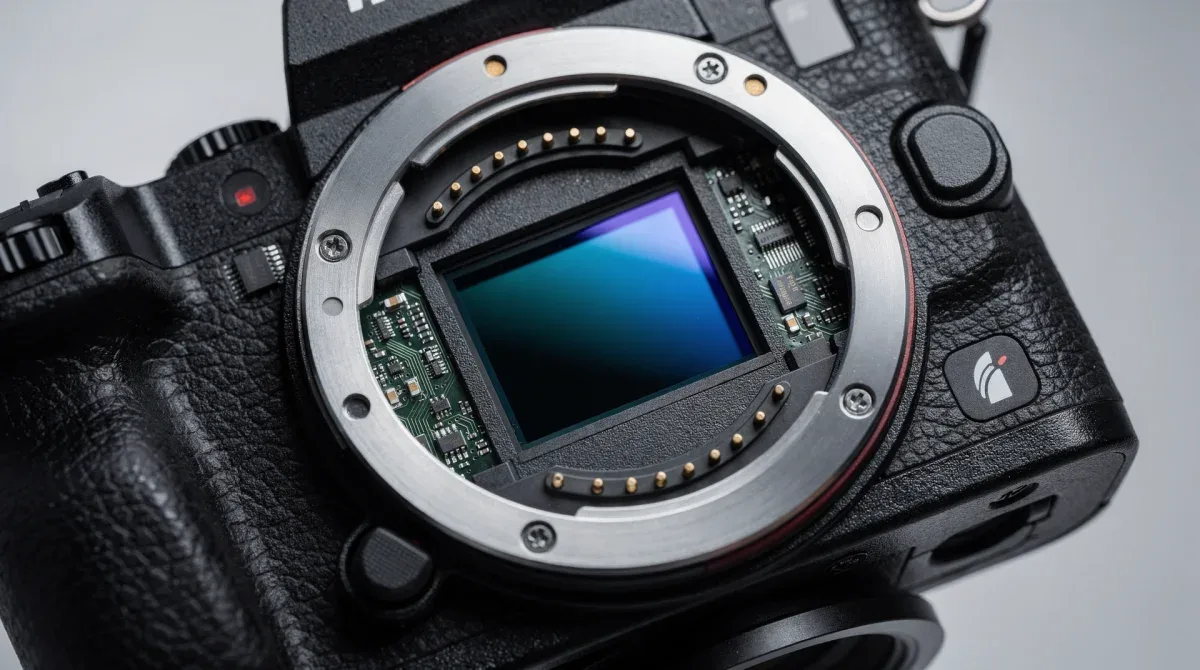
Choosing the right microphone type is also important. A shotgun mic is excellent for isolating sound directly in front of the camera, ideal for interviews or on-location commentary. Lavalier microphones are perfect for discreetly capturing clear dialogue from a single speaker, especially in noisy environments. Wireless systems offer maximum flexibility for movement.
By prioritizing these audio specifications, vloggers can ensure their message is heard with clarity and impact. Integrating high-quality audio is not just about technical competence; it's about respecting your audience and enhancing their overall viewing experience. This focus on sound is a distinguishing factor in any comprehensive mirrorless vlogging camera guide.
Image Stabilization: Keeping Your Vlogs Steady
In the dynamic world of vlogging, especially for creators on the move, shaky footage can quickly detract from the viewing experience. This is where robust image stabilization becomes a critical feature, transforming handheld shots from jarring to smooth and professional. Whether you're walking, talking, or capturing action, effective stabilization ensures your audience remains focused on your content, not on distracting camera movements.
There are primarily two types of image stabilization relevant to mirrorless cameras: in-body image stabilization (IBIS) and optical image stabilization (OIS) found in lenses. Many modern mirrorless systems combine both, offering a highly effective hybrid stabilization system that can compensate for a wide range of camera shakes.
Types of Stabilization and Their Benefits
Understanding the different stabilization methods helps in choosing a camera and lens combination that best suits your vlogging style. Each type has its strengths, and a combination often yields the best results.
- In-Body Image Stabilization (IBIS): Moves the camera sensor to counteract shake. Benefits all lenses, including older, unstabilized ones. Offers multi-axis correction (e.g., 5-axis) for comprehensive stabilization.
- Optical Image Stabilization (OIS): Built into the lens, it uses optical elements to shift and compensate for movement. Often highly effective for specific focal lengths and can work in conjunction with IBIS for enhanced stability.
- Electronic Image Stabilization (EIS): A digital method that crops into the image sensor and uses algorithms to smooth out footage. Can be effective but often introduces a slight crop and can sometimes cause a 'jello' effect.
For vloggers who frequently shoot handheld, IBIS is particularly advantageous. It means you can use prime lenses or older manual lenses and still benefit from significant stabilization. When IBIS is combined with OIS in a compatible lens, the synergy can produce remarkably stable footage, even in challenging conditions.
Beyond the technical aspects, the psychological impact of stable footage on the viewer is profound. It conveys professionalism and attention to detail, making your content more enjoyable and easier to consume. A viewer is more likely to engage with a smooth, well-composed shot than a wobbly, disorienting one.
Therefore, when consulting a mirrorless vlogging camera guide, always prioritize models that offer advanced image stabilization. It's a feature that directly contributes to the production value of your vlogs, allowing you to focus on storytelling rather than worrying about camera shake. This ensures your content looks polished and professional, regardless of your shooting environment.
Connectivity and Workflow: Streamlining Your Vlogging Process
Beyond capturing exceptional audio and visual content, a truly effective mirrorless vlogging camera guide must also address the practicalities of content creation: connectivity and workflow. In today's fast-paced digital environment, the ease with which you can transfer, edit, and share your footage is almost as important as the quality of the footage itself. Efficient workflow can significantly cut down on post-production time, allowing you to release content more frequently and stay relevant.
Modern mirrorless cameras are increasingly equipped with advanced connectivity options designed to streamline the entire vlogging process, from shooting to uploading. These features are not just conveniences; they are integral components of a productive content creation ecosystem.
Essential Connectivity Features for Vloggers
When evaluating a camera, look beyond the basic shooting specs and consider how easily it integrates into your existing workflow. Features that simplify data transfer and remote control can dramatically improve your efficiency.
- Wi-Fi and Bluetooth: Enables wireless transfer of files to a smartphone or computer for quick editing and sharing. Also allows for remote control of the camera, ideal for self-shooting.
- USB-C Connectivity: Offers faster data transfer speeds and often supports in-camera charging or even external power during recording, crucial for long shoots.
- HDMI Output: Allows for connecting an external monitor for a clearer view of your footage, or for live streaming directly from the camera.
- Hot Shoe/Cold Shoe Mounts: Essential for attaching external accessories like microphones, LED lights, or external recorders, expanding the camera's capabilities.
The ability to quickly offload footage is particularly valuable for vloggers who produce a lot of content or work with large 4K files. Wireless transfer to a mobile device means you can start editing on the go, or quickly share clips to social media for teasers. Remote control via a smartphone app allows you to frame shots, adjust settings, and start/stop recording without needing to be behind the camera, which is a huge advantage for solo vloggers.
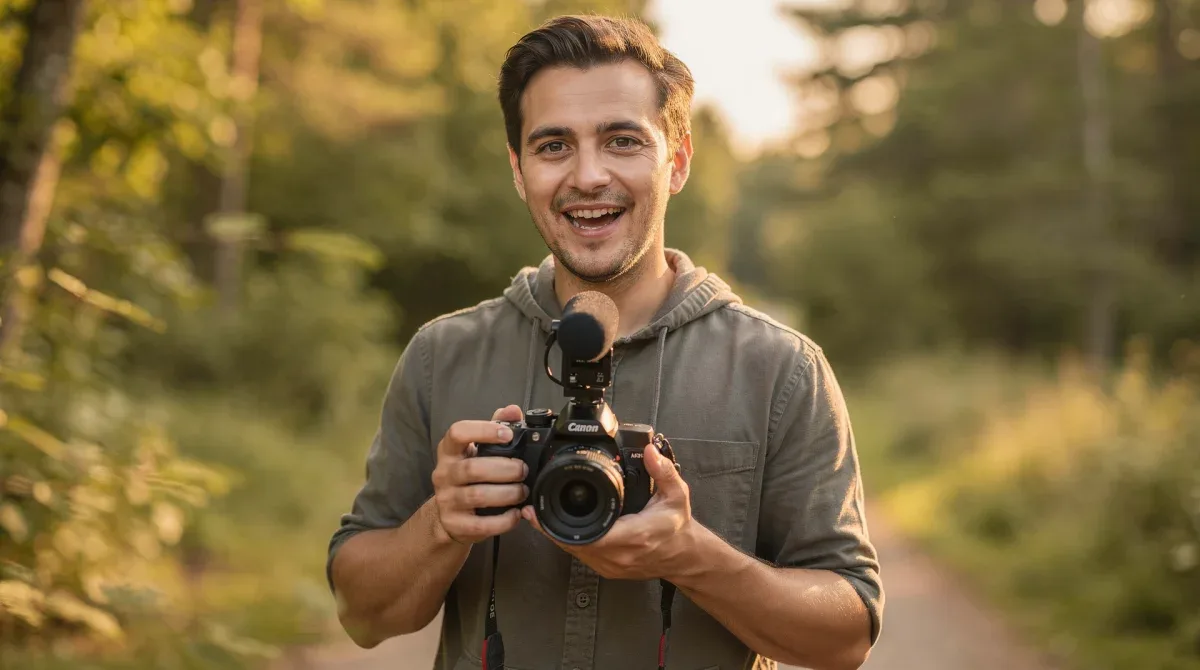
Furthermore, robust battery life and the option for external power are critical for extended shooting sessions. Nobody wants their camera to die in the middle of a crucial take. Many mirrorless cameras now support USB-PD (Power Delivery), allowing them to be powered or charged via a power bank, offering unparalleled flexibility.
By prioritizing these connectivity and workflow features, vloggers can create a more seamless and efficient production pipeline. This not only saves time but also reduces frustration, allowing you to focus more on the creative aspects of your content. A truly comprehensive mirrorless vlogging camera guide empowers you with the knowledge to optimize every stage of your creative journey.
Ergonomics and User Experience for the Vlogger
Beyond the technical specifications, the practical aspects of a mirrorless camera's ergonomics and user experience play a significant role in a vlogger's daily workflow and overall satisfaction. A camera might boast impressive specs, but if it's uncomfortable to hold, cumbersome to operate, or has an unintuitive menu system, it can quickly become a hindrance rather than a tool for creativity. The best mirrorless vlogging camera guide acknowledges that usability is just as crucial as megapixels or frame rates.
Vlogging often involves shooting in diverse environments, from controlled studio settings to unpredictable outdoor locations. This demands a camera that feels like an extension of the creator, allowing for quick adjustments and comfortable handling throughout long shooting sessions. A camera that is a joy to use will ultimately encourage more consistent content creation.
Key Ergonomic and UX Considerations
When you pick up a camera, pay attention to its weight distribution, grip comfort, and the logical placement of controls. These seemingly minor details can have a major impact on your shooting experience.
- Flip-Out/Articulating Screen: Absolutely essential for self-shooting vloggers, allowing you to monitor your framing and focus while in front of the camera.
- Comfortable Grip: A well-designed grip reduces hand fatigue, especially during extended handheld shooting.
- Intuitive Menu System: Easy access to frequently used settings, customizable buttons, and a logical menu structure can save valuable time during a shoot.
- Weight and Balance: A lighter camera is generally preferred for vlogging, but it must also be well-balanced, especially when heavier lenses or accessories are attached.
- Touchscreen Functionality: Speeds up focus point selection, menu navigation, and playback review.
The importance of a good flip-out screen cannot be overstated for vloggers. It allows for confident self-recording, ensuring you are always in frame and in focus. Pairing this with an intuitive touchscreen interface further enhances the user experience, making settings adjustments a breeze even when the camera is mounted on a tripod or gimbal.
Furthermore, the build quality and weather sealing (if applicable) contribute to the camera's overall robustness, providing peace of mind when shooting in less-than-ideal conditions. While not every vlogger needs a fully weather-sealed camera, a sturdy build ensures durability for daily use.
Ultimately, the best camera for you is one that you enjoy using. A camera with excellent ergonomics and a user-friendly interface will empower you to focus on your storytelling and creative vision, rather than battling with complex controls or uncomfortable handling. This human-centric approach to camera selection is a vital component of any practical mirrorless vlogging camera guide.
| Key Feature | Vlogging Benefit |
|---|---|
| 10-Bit Color Depth | Enables richer colors, smoother gradients, and extensive color grading flexibility in post-production. |
| 4K60 Recording | Provides ultra-smooth motion, sharp detail, and high-quality slow-motion capabilities for dynamic content. |
| External Audio Input | Ensures crystal-clear sound quality by allowing connection of professional microphones, crucial for audience engagement. |
| Image Stabilization | Minimizes camera shake for smooth, professional-looking handheld footage, vital for active vloggers. |
Frequently Asked Questions About Vlogging Cameras
Why is 10-bit color depth important for vlogging?▼10-bit color depth captures over a billion colors, significantly more than 8-bit. This allows for smoother color gradients, prevents banding in skies or skin tones, and provides greater flexibility for color grading and correction in post-production, leading to a more professional and visually appealing vlog.
What are the benefits of recording in 4K60 for vloggers?▼4K60 recording offers incredibly smooth motion and sharp detail, making dynamic vlogs more engaging. It also provides excellent slow-motion capabilities when played back at lower frame rates, and allows for flexible cropping or reframing in post-production without losing significant quality, enhancing creative control.
Do I really need an external microphone for vlogging?▼Yes, an external microphone is highly recommended. Internal camera mics often capture poor quality audio, picking up too much ambient noise. An external mic (shotgun, lavalier) dramatically improves voice clarity and reduces background distractions, ensuring your audience hears you clearly, which is crucial for viewer retention.
What type of image stabilization is best for handheld vlogging?▼In-body image stabilization (IBIS) is generally considered best for handheld vlogging as it stabilizes the sensor itself, benefiting all lenses. When combined with optical image stabilization (OIS) in a lens, it creates a powerful hybrid system that offers superior shake reduction, making your footage smooth and professional.
How important are connectivity features for a vlogging camera?▼Connectivity features like Wi-Fi, Bluetooth, and USB-C are very important for streamlining your vlogging workflow. They allow for quick file transfers, remote camera control, and even live streaming, saving time in post-production and enabling more flexible shooting scenarios, crucial for consistent content creation.
Conclusion
Navigating the vast array of mirrorless cameras for vlogging requires a keen understanding of key audio-visual specifications that truly matter for content production. As this mirrorless vlogging camera guide has highlighted, prioritizing 10-bit color depth, 4K60 recording, robust external audio inputs, and effective image stabilization forms the bedrock of professional-grade video creation. These features not only enhance the aesthetic appeal and technical quality of your vlogs but also provide the creative flexibility and streamlined workflow necessary to stand out in a competitive digital landscape. By making informed decisions based on these critical aspects, vloggers can equip themselves with tools that empower their storytelling and captivate their audience with truly exceptional content.
