Smart Lock Installation Guide: 3-Factor Biometric Deadbolts
Selecting and installing 3-factor biometric deadbolts that pass ANSI Grade 1 is crucial for achieving the highest level of residential security, combining advanced authentication with robust construction for ultimate peace of mind.
Considering an upgrade to your home security? This comprehensive Smart Lock Installation Guide: How to Select 3-Factor Biometric Deadbolts That Pass ANSI Grade 1 will walk you through everything you need to know, ensuring your investment enhances both safety and convenience for years to come.
Understanding 3-Factor Biometric Deadbolts
Three-factor biometric deadbolts represent the pinnacle of residential security, integrating multiple layers of authentication to protect your home. Unlike traditional locks or even basic smart locks, these advanced systems demand three distinct pieces of evidence to grant access, significantly reducing the likelihood of unauthorized entry. This multi-layered approach typically combines something you know (like a PIN code), something you have (a smart key, fob, or smartphone), and something you are (a fingerprint or facial scan).
The integration of these factors creates a formidable barrier against intruders, making them a preferred choice for homeowners seeking superior protection. Each factor acts as an independent verification step, meaning a breach in one layer does not automatically compromise the entire system. This redundancy is a cornerstone of high-security design, providing unparalleled peace of mind.
The Pillars of 3-Factor Authentication
Understanding each factor is key to appreciating the robust security these deadbolts offer.
- Knowledge Factor: This usually involves a numerical keypad where users input a unique PIN. The PIN should be complex and regularly changed to maintain security.
- Possession Factor: This could be a physical keycard, an NFC tag, or increasingly, a smartphone app that communicates with the lock via Bluetooth or Wi-Fi. This factor ensures only authorized devices can initiate access.
- Inherence Factor (Biometrics): This is the 'something you are' component, most commonly a fingerprint scanner. Advanced systems might also incorporate facial recognition or iris scanning, offering a highly unique and difficult-to-replicate identifier.
Each of these factors must be successfully authenticated for the lock to disengage, creating a powerful deterrent. This layered defense mechanism is what sets 3-factor biometric deadbolts apart from simpler security solutions, offering a level of protection that is increasingly vital in a world where security threats are constantly evolving. The complexity of bypassing such a system makes it a strong choice for any property owner.
Decoding ANSI Grade 1 Certification for Deadbolts
When it comes to home security, not all locks are created equal. The American National Standards Institute (ANSI) plays a critical role in establishing benchmarks for lock performance and durability. ANSI Grade 1 certification is the highest standard for residential door hardware, signifying exceptional strength, security, and longevity. This rating is not merely a label; it is a testament to rigorous testing that assesses a lock's resistance to forced entry, its operational reliability over thousands of cycles, and its overall integrity under various conditions.
Choosing a deadbolt with an ANSI Grade 1 rating ensures you are investing in a product designed to withstand significant abuse and provide reliable security for years. It's a crucial consideration, especially when integrating advanced smart lock technology, as the underlying mechanical strength of the lock is just as important as its electronic sophistication.
What ANSI Grade 1 Means for Your Security
The ANSI Grade 1 standard involves a series of stringent tests that evaluate different aspects of a deadbolt's performance. These tests go beyond simple functionality, assessing how well the lock stands up to real-world threats and prolonged use.
- Security: Locks are tested for their resistance to picking, drilling, prying, and kicking. A Grade 1 deadbolt must demonstrate superior resistance to these common attack methods.
- Durability: The lock must withstand 250,000 cycles of opening and closing, ensuring its mechanical components will not fail prematurely. This is crucial for high-traffic entry points.
- Strength: Tested for bolt strength and resistance to force, a Grade 1 deadbolt can typically withstand 10 strikes of 75 pounds of force, showcasing its ability to prevent forced entry.

Understanding these criteria helps homeowners make informed decisions. A 3-factor biometric deadbolt that also carries an ANSI Grade 1 certification provides a dual layer of assurance: cutting-edge electronic security combined with robust mechanical protection. This combination is essential for truly safeguarding your home, offering a comprehensive defense against both sophisticated and brute-force attempts at entry.
Key Features to Look for in Biometric Deadbolts
Beyond the fundamental 3-factor authentication and ANSI Grade 1 certification, several other features can significantly enhance the functionality, convenience, and security of your biometric deadbolt. These features often differentiate premium models from standard offerings and can greatly impact your daily user experience. Evaluating these additional capabilities is crucial to selecting a smart lock that perfectly aligns with your lifestyle and security needs.
Consider how these features integrate with your existing smart home ecosystem and whether they offer the flexibility and control you desire. A well-chosen smart lock should not only secure your home but also simplify access management and provide valuable insights into your home's activity.
Advanced Functionalities and Connectivity
Modern biometric deadbolts offer a host of intelligent features designed to make home access smarter and more secure.
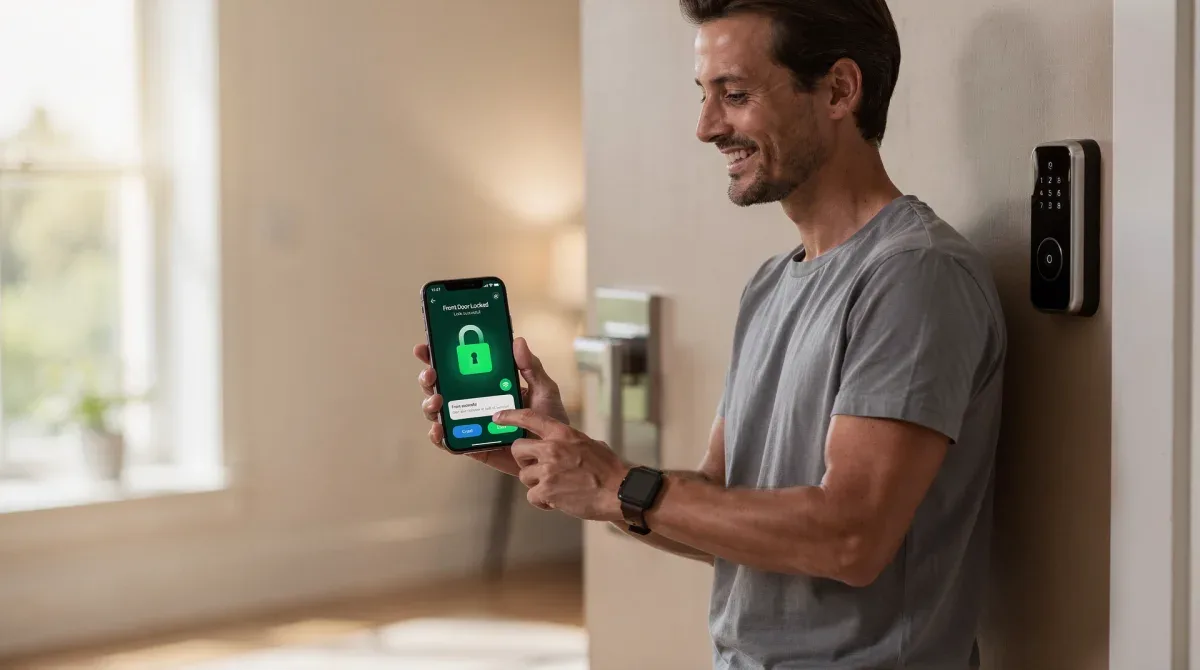
- Remote Access and Monitoring: Many smart locks can be controlled and monitored from anywhere via a smartphone app. This allows you to lock/unlock doors, check their status, and receive alerts about unusual activity.
- Temporary Access Codes: Ideal for guests, service providers, or pet sitters, this feature allows you to generate temporary PINs or virtual keys that expire after a set time or number of uses.
- Activity Logs: Most smart locks maintain a log of who entered and when, providing a detailed record of door activity. This can be invaluable for monitoring access and enhancing accountability.
- Integration with Smart Home Systems: Compatibility with platforms like Amazon Alexa, Google Assistant, or Apple HomeKit allows for voice control and seamless integration into broader smart home automation routines.
- Anti-Tamper Alarms: Built-in alarms can detect forced entry attempts or tampering with the lock, triggering an audible alert and sending notifications to your smartphone.
- Power Options: Consider battery life, low-battery warnings, and options for emergency power access, such as a backup key or a micro-USB port for temporary power.
These features collectively transform a simple lock into a sophisticated security and access management system. Prioritizing those that offer the most benefit for your specific situation will lead to greater satisfaction and a more secure home environment. Always ensure the chosen lock's connectivity options are compatible with your home network for optimal performance.
Installation Guide: Preparing for Your Smart Lock Upgrade
Installing a 3-factor biometric deadbolt might seem daunting, but with careful preparation and attention to detail, it's a manageable DIY project for most homeowners. The key to a successful installation lies in thorough preparation, ensuring your door and existing hardware are compatible with the new smart lock. This section will guide you through the initial steps, from checking door specifications to gathering the necessary tools.
Proper preparation not only streamlines the installation process but also prevents potential issues that could compromise the lock's functionality or security. Rushing through these initial checks can lead to frustrating setbacks, so take your time to ensure everything is in order.
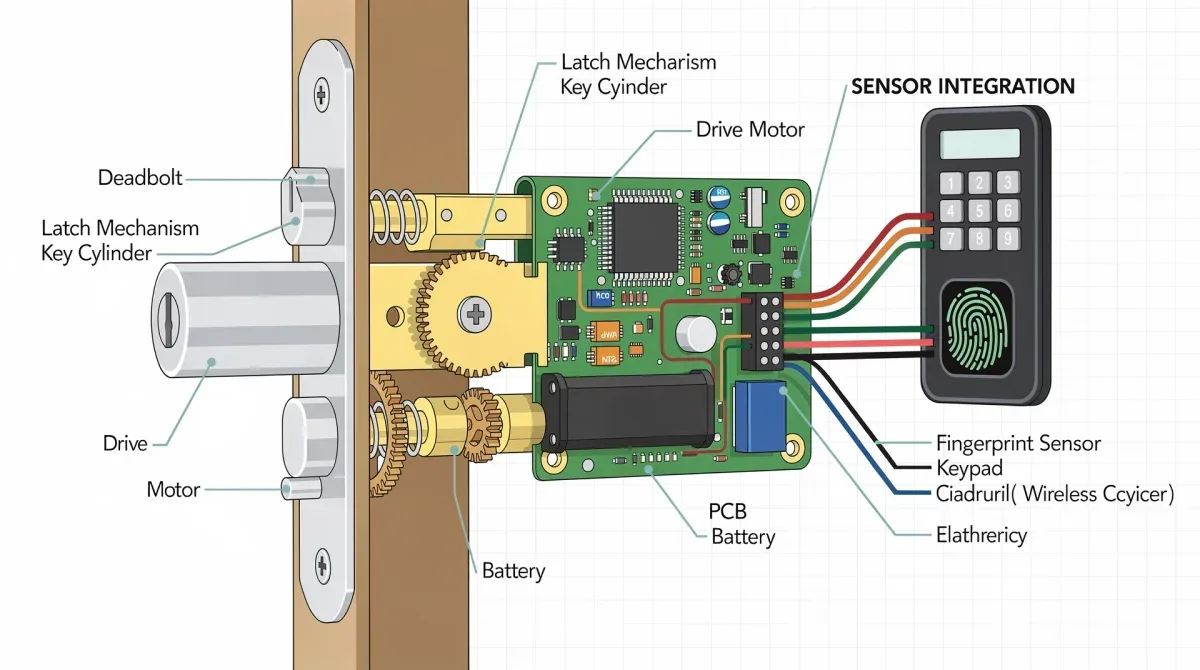
Pre-Installation Checklist
Before you even open the smart lock box, it's essential to assess your door and frame to ensure compatibility.
- Door Thickness: Most smart locks are designed for standard door thicknesses, typically between 1 3/8 inches and 2 1/4 inches. Measure your door to confirm it falls within this range.
- Backset Measurement: This is the distance from the edge of the door to the center of the bore hole (the large hole where the lock cylinder goes). Standard backsets are 2 3/8 inches or 2 3/4 inches. Your new lock will need to match this.
- Bore Hole Diameter: The main bore hole for the deadbolt assembly is usually 2 1/8 inches in diameter. The smaller cross bore hole for the latch bolt is typically 1 inch.
- Door Frame Preparation: Ensure your door frame is solid and the strike plate area is free from damage. A strong strike plate is crucial for the deadbolt's security.
- Tools Required: Gather a Phillips head screwdriver, a tape measure, and potentially a drill if new holes need to be bored (though many smart locks are designed for standard pre-drilled doors).
Once you've confirmed these measurements and gathered your tools, you're ready to proceed with the physical installation. Remember, if at any point you feel unsure or uncomfortable, consulting a professional locksmith or handyman is always a wise decision. A correctly installed lock is a secure lock.
Step-by-Step Installation Process
With your door prepared and tools at hand, you can now begin the physical installation of your 3-factor biometric deadbolt. While specific steps may vary slightly between manufacturers, the general process remains consistent. This guide provides a universal approach to help you confidently install your new smart lock, ensuring it functions correctly and securely.
Always refer to the manufacturer's instructions provided with your specific lock model, as they will contain crucial details pertinent to your device. This general overview serves as a helpful framework, but individual product manuals are your ultimate resource.
Mounting Your Biometric Deadbolt
Follow these steps to install your smart lock effectively:
First, remove your existing deadbolt. This usually involves unscrewing two screws on the interior side of the door. Once the old hardware is removed, clean the area around the bore holes to ensure a smooth surface for the new lock.
Next, install the latch mechanism into the edge of the door. Ensure the latch bolt is facing the correct direction (slanted side towards the door frame). Secure it with the provided screws. Then, insert the exterior keypad or biometric scanner assembly through the bore hole, ensuring the cable is routed correctly through the interior mounting plate.
Attach the interior mounting plate to the exterior assembly, typically using two long screws that pass through the door. Make sure the exterior unit is level and snug against the door surface. Connect the cable from the exterior assembly to the interior assembly, following the manufacturer's diagram. This connection is vital for the electronic functions of the lock.
Finally, attach the interior thumb-turn or motor assembly to the mounting plate. Secure it with screws, ensuring the deadbolt mechanism operates smoothly when the thumb-turn is engaged. Test the lock manually several times before closing the door to ensure the bolt extends and retracts without obstruction. Once satisfied, proceed to the electronic setup and calibration as per the manufacturer's specific instructions, which often involve pairing with a smartphone app and programming user access.
Configuring and Calibrating Your Smart Lock
Installing the physical hardware is only half the battle; the true intelligence of your 3-factor biometric deadbolt comes alive during the configuration and calibration process. This crucial phase involves setting up user access, integrating with your smart home system, and fine-tuning the lock's operational parameters. Proper configuration ensures maximum security, convenience, and seamless functionality.
Do not rush this stage. Take the time to explore all the features your new smart lock offers and configure them according to your specific needs. A well-configured smart lock is a powerful tool for home security and management.
Programming Access and Smart Home Integration
Once the lock is physically installed, you will typically need to download the manufacturer's dedicated smartphone app. This app serves as the command center for your smart lock.
- Initial Pairing: Follow the app's instructions to pair your smartphone with the smart lock, usually via Bluetooth. This establishes the primary connection for setup.
- User Management: Create and manage user profiles. This is where you'll add fingerprints for biometric access, assign unique PIN codes for keypad entry, and generate virtual keys for other users.
- Connectivity Setup: If your lock supports Wi-Fi, configure it to connect to your home network. This enables remote access, real-time notifications, and over-the-air firmware updates.
- Smart Home Integration: Link your smart lock with your broader smart home ecosystem (e.g., Alexa, Google Home, HomeKit). This allows for voice commands, integration into automation routines (e.g., locking doors when you leave home), and centralized control.
- Calibration: Many smart locks require a calibration step to learn the door's locking mechanism and ensure smooth operation. The app will usually guide you through this process.
- Security Settings: Review and adjust security settings, such as auto-lock timers, anti-tamper sensitivity, and notification preferences.
Testing all access methods – fingerprint, PIN code, and app control – multiple times after configuration is highly recommended. This ensures every component is working as expected and that your home is truly secure. Regularly check for firmware updates to keep your lock's software current with the latest security patches and features.
Maintaining Your Biometric Deadbolt for Longevity
Investing in a 3-factor biometric deadbolt that passes ANSI Grade 1 is a significant step towards enhanced home security. However, like any sophisticated piece of technology, it requires ongoing maintenance to ensure optimal performance and longevity. Regular care not only preserves the lock's functionality but also extends its lifespan, protecting your investment for years to come. Neglecting maintenance can lead to decreased responsiveness, battery issues, or even security vulnerabilities.
A proactive approach to maintenance will save you headaches and potential repair costs down the line, ensuring your smart lock remains a reliable guardian of your home.
Essential Maintenance Practices
Simple routine checks and cleanings can make a substantial difference in your smart lock's performance.
- Battery Replacement: Smart locks are battery-powered. Pay attention to low-battery warnings and replace batteries promptly, typically every 6-12 months, depending on usage. Always use high-quality alkaline batteries.
- Cleaning Sensors: Fingerprint scanners and keypads can accumulate dirt, dust, or smudges, affecting their responsiveness. Gently clean these surfaces with a soft, dry, lint-free cloth. Avoid abrasive cleaners or liquids that could damage electronic components.
- Mechanical Check: Periodically check the mechanical components for smooth operation. Ensure the deadbolt extends and retracts freely without binding. If there's resistance, a small amount of graphite lubricant (not oil) can be applied to the bolt mechanism, avoiding the electronic parts.
- Firmware Updates: Regularly check for and install firmware updates through your smart lock's app. These updates often include security patches, performance improvements, and new features.
- PIN Code Rotation: For enhanced security, periodically change your PIN codes and ensure they are not easily guessable.
- Physical Inspection: Look for any signs of wear, damage, or tampering on both the interior and exterior components of the lock. Address any issues promptly.
By following these simple maintenance practices, you can ensure your 3-factor biometric deadbolt continues to provide reliable, high-level security and convenience for your home. Remember that a well-maintained smart lock is a secure smart lock, offering you continuous peace of mind.
| Key Aspect | Brief Description |
|---|---|
| 3-Factor Authentication | Combines something you know, have, and are (biometrics) for superior security. |
| ANSI Grade 1 Certification | Highest residential standard for strength, durability, and resistance to forced entry. |
| Installation & Setup | Requires careful door measurement and precise electronic configuration via a smartphone app. |
| Maintenance | Regular battery changes, cleaning, and firmware updates ensure longevity and security. |
Frequently Asked Questions
What is a 3-factor biometric deadbolt?▼A 3-factor biometric deadbolt requires three distinct authentication methods for access. These typically include something you know (like a PIN), something you have (a key card or smartphone), and something you are (a fingerprint or facial scan), providing enhanced security layers against unauthorized entry.
Why is ANSI Grade 1 certification important for smart locks?▼ANSI Grade 1 certification signifies the highest standard for residential lock hardware. It means the deadbolt has undergone rigorous testing for strength, durability, and resistance to forced entry, ensuring superior mechanical security even with advanced electronic features. It's a hallmark of quality.
Can I install a 3-factor biometric deadbolt myself?▼Many homeowners can install these deadbolts themselves by following the manufacturer's instructions. Key steps include checking door measurements, removing the old lock, and carefully installing the new hardware. Electronic configuration via an app is also required. If unsure, professional installation is recommended.
How do I maintain my biometric smart lock?▼Maintenance involves regular battery replacement (every 6-12 months), gently cleaning fingerprint sensors and keypads, checking for smooth mechanical operation, and installing firmware updates. These steps ensure optimal performance, security, and extend the lifespan of your advanced locking system.
What smart home systems are compatible with these deadbolts?▼Most modern 3-factor biometric deadbolts offer compatibility with popular smart home ecosystems such as Amazon Alexa, Google Assistant, and Apple HomeKit. This allows for voice control, integration into automation routines, and centralized management of your home's security devices for enhanced convenience.
Conclusion
Upgrading to a 3-factor biometric deadbolt that meets ANSI Grade 1 standards is a strategic move for any homeowner prioritizing advanced security and modern convenience. This guide has illuminated the critical aspects of selecting, installing, and maintaining these sophisticated locks, from understanding multi-layered authentication to ensuring robust mechanical integrity. By carefully considering features, preparing for installation, and committing to ongoing maintenance, you can confidently integrate this cutting-edge technology into your home, securing your peace of mind and enhancing your daily life. The fusion of biometric accuracy with proven mechanical strength offers an unparalleled defense, making your home safer and smarter for the future.
