Secure Digital Assets: Vaultwarden Self-Hosted Password Manager
Vaultwarden, a self-hosted password manager, provides a robust open-source solution for securing all your digital assets, offering complete control over your sensitive information and enhancing your overall online privacy and security posture.
In an increasingly digital world, safeguarding your online identity and sensitive information is paramount. This article explores how to secure 100% of your digital assets using Vaultwarden self-hosted password manager, offering a comprehensive guide to taking back control of your data.
Understanding the Need for a Self-Hosted Password Manager
The digital landscape is fraught with threats, from phishing attempts to large-scale data breaches. Relying solely on memory or insecure methods like sticky notes for passwords is a recipe for disaster. While commercial password managers offer convenience, they often come with a critical caveat: your encrypted data resides on their servers. For many, this introduces an unacceptable level of trust in a third party. This section delves into why a self-hosted solution like Vaultwarden is becoming an essential tool for digital autonomy.
When you choose a self-hosted password manager, you are essentially becoming the sole custodian of your encrypted vault. This means no third-party servers hold your sensitive information, drastically reducing the attack surface. It’s a paradigm shift from entrusting your data to a service provider to taking full responsibility and control yourself. This approach resonates deeply with individuals and organizations prioritizing privacy and security above all else, offering peace of mind that proprietary solutions often cannot.
The inherent risks of cloud-based solutions
Cloud-based password managers, while convenient, are not immune to security vulnerabilities. Their centralized nature makes them attractive targets for malicious actors. A breach at a major provider could expose millions of users' encrypted vaults. While strong encryption is typically in place, the sheer volume of data makes them high-value targets. Moreover, the terms of service might change, or the company itself could be acquired, leading to potential shifts in privacy policies.
- Centralized data storage creates a single point of failure.
- Reliance on third-party security practices and infrastructure.
- Potential for policy changes affecting user privacy.
- Increased risk of large-scale data breaches impacting many users.
In conclusion, the decision to opt for a self-hosted solution like Vaultwarden stems from a fundamental desire for greater control and reduced reliance on external entities. It's a proactive step towards building a more resilient and private digital existence, moving beyond the inherent risks associated with shared cloud infrastructure.
Introducing Vaultwarden: An Open-Source Alternative
Vaultwarden is not just another password manager; it's a lightweight, open-source implementation of the Bitwarden server API, designed for self-hosting. It offers nearly all the features of the official Bitwarden server but with a significantly smaller footprint and often easier deployment for personal or small-team use. This section will introduce you to Vaultwarden's core principles and why it has garnered such a strong following in the security community.

Developed in Rust, Vaultwarden is known for its efficiency and stability. Its compatibility with official Bitwarden clients means you can use the same familiar apps and browser extensions you might already be accustomed to, seamlessly connecting them to your self-hosted server. This blend of familiarity and enhanced control makes Vaultwarden an incredibly compelling option for those looking to secure their digital lives without compromising on usability.
Key features and benefits of Vaultwarden
Vaultwarden provides a robust set of features that rival commercial offerings, all while giving you complete ownership of your data. Its open-source nature means the code is publicly auditable, fostering trust and transparency within the security community. This is a crucial advantage, as it allows for peer review and rapid identification of potential vulnerabilities.
- Cross-platform compatibility: Works with all official Bitwarden clients (desktop, mobile, browser extensions).
- Two-factor authentication (2FA): Supports various 2FA methods for enhanced security.
- Secure password generation: Creates strong, unique passwords for all your accounts.
- Data synchronization: Keeps your vault synchronized across all your devices.
- Attachment support: Securely store files and other sensitive documents.
The open-source model of Vaultwarden ensures continuous improvement and community-driven development. This collaborative environment often leads to faster bug fixes and feature enhancements compared to proprietary solutions. Ultimately, Vaultwarden empowers users with the tools to manage their digital security proactively and effectively.
Setting Up Your Vaultwarden Server: A Step-by-Step Guide
Embarking on the journey of self-hosting Vaultwarden might seem daunting at first, but with a clear guide, it's an achievable task for anyone with basic technical proficiency. This section will walk you through the essential steps to get your Vaultwarden server up and running, focusing on common and reliable deployment methods. The goal is to demystify the process and provide actionable instructions.
The most popular and recommended method for deploying Vaultwarden is using Docker. Docker containers encapsulate your application and its dependencies, ensuring consistent operation across different environments. This significantly simplifies the setup process, abstracting away many underlying system complexities. Before you begin, ensure you have Docker and Docker Compose installed on your chosen server operating system, typically a Linux distribution.
Prerequisites for a successful deployment
Before diving into the installation, a few foundational elements are necessary. Having these in place will ensure a smooth setup and reliable operation of your Vaultwarden instance. Proper preparation is key to avoiding common pitfalls during the installation process.
- A dedicated server or VPS: A virtual private server (VPS) or a dedicated machine with a Linux OS.
- Docker and Docker Compose: Installed and configured on your server.
- Domain name: A registered domain name pointing to your server's IP address (optional but recommended for HTTPS).
- Reverse proxy (e.g., Nginx, Caddy): For SSL termination and easy access (highly recommended).

Once these prerequisites are met, the actual deployment using Docker Compose becomes relatively straightforward. You'll define your Vaultwarden service in a docker-compose.yml file, specifying environmental variables, volumes for persistent data, and port mappings. This file acts as a blueprint for your Vaultwarden container.
After defining your configuration, a simple command like docker-compose up -d will pull the necessary images and start your Vaultwarden server in the background. Configuring a reverse proxy like Nginx or Caddy is crucial for enabling HTTPS, which encrypts traffic between your clients and your Vaultwarden server, providing a secure connection. This ensures that your passwords are never transmitted in plain text, even within your local network. Regularly updating your server and Vaultwarden instance is also vital for maintaining security and accessing the latest features. This proactive approach minimizes vulnerabilities and ensures optimal performance.
In summary, setting up Vaultwarden involves careful preparation, leveraging containerization with Docker, and securing network access with a reverse proxy. While it requires some technical understanding, the long-term benefits of enhanced security and control far outweigh the initial effort.
Migrating Your Existing Passwords to Vaultwarden
Transitioning to a new password manager, especially a self-hosted one, often raises concerns about migrating existing credentials. Fortunately, Vaultwarden, by virtue of its compatibility with Bitwarden, offers straightforward methods for importing your passwords from various sources. This section will guide you through the process, ensuring a smooth and secure transfer of your digital keys.
Most reputable password managers provide an export function, allowing you to save your data in a commonly accepted format, such as CSV or JSON. Once you have this exported file, Vaultwarden's web vault interface provides an intuitive import tool. This process is designed to be user-friendly, minimizing the technical hurdles associated with migrating sensitive data.
Importing from common password managers
The import functionality in Vaultwarden is robust, supporting a wide array of formats. This flexibility makes it relatively easy to switch from popular commercial password managers without losing any of your meticulously stored credentials. Always remember to securely delete the exported file from your local machine after a successful import.
- LastPass: Export data as a CSV file.
- 1Password: Export data as a CSV or 1PIF file.
- KeePass: Export data as a CSV file.
- Google Chrome/Mozilla Firefox: Export saved passwords as a CSV file.
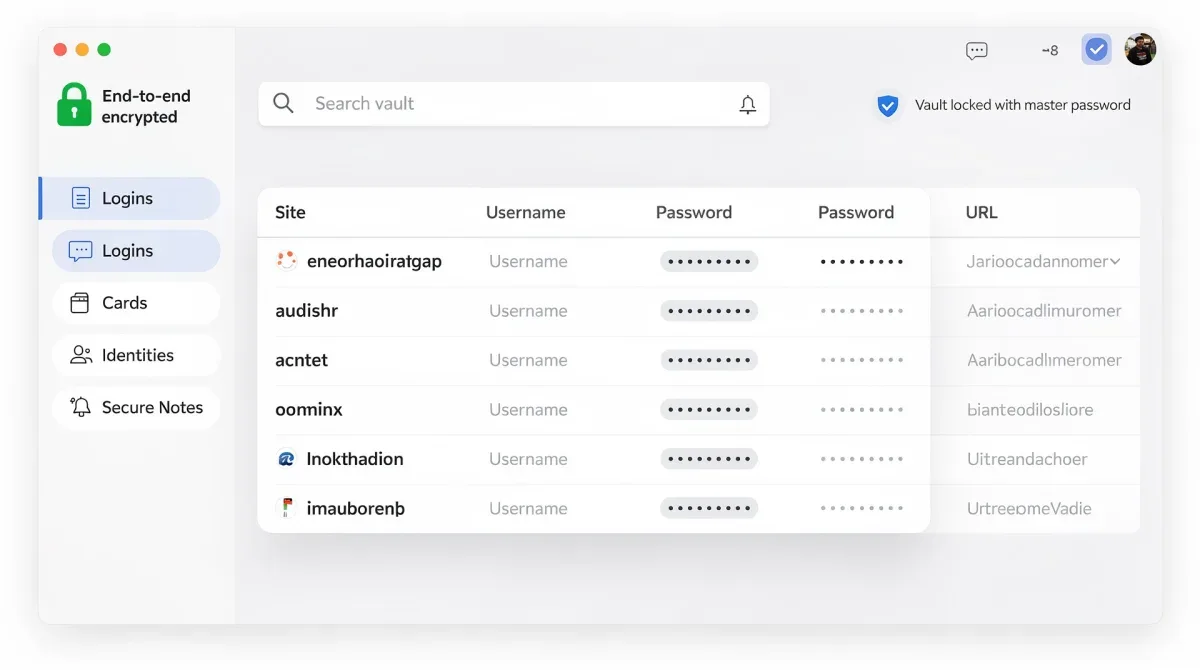
After importing, it's crucial to review your entries to ensure everything transferred correctly. You might find some entries require minor adjustments, especially if the original export format had slight variations. Once confirmed, you can securely delete the export file from your local machine. This step is critical to prevent any residual unencrypted data from lingering on your system. Always double-check that your old password manager is fully disabled or uninstalled after the migration to prevent accidental use of outdated credentials.
The migration process, while requiring attention to detail, is a one-time effort that paves the way for a more secure and controlled digital future. Vaultwarden simplifies this transition, making the move to self-hosted security more accessible than ever before.
Best Practices for Securing Your Vaultwarden Instance
Simply setting up Vaultwarden is the first step; maintaining its security requires ongoing vigilance and adherence to best practices. Your self-hosted instance is only as secure as the measures you implement around it. This section outlines critical security practices to ensure your Vaultwarden server remains impenetrable, protecting your valuable digital assets.
The responsibility for security shifts entirely to you when self-hosting. This means implementing robust server hardening techniques, regularly updating software, and configuring strong authentication methods. Neglecting these aspects can expose your vault to unnecessary risks, undermining the very purpose of self-hosting.
Essential security configurations
A multi-layered approach to security is paramount. This includes everything from the operating system your server runs on to the way you access your Vaultwarden instance. Each layer adds a defense, collectively creating a resilient security posture.
- Strong master password: Create a unique, long, and complex master password for your vault.
- Two-factor authentication (2FA): Enable 2FA for your Vaultwarden login.
- Regular backups: Implement a robust backup strategy for your Vaultwarden data.
- Firewall rules: Restrict access to your Vaultwarden server to only necessary ports and IPs.
- Software updates: Keep your server OS, Docker, and Vaultwarden instance updated.
- HTTPS/SSL: Always access your Vaultwarden instance over HTTPS using a valid SSL certificate.
Beyond these technical configurations, consider physical security if your server is on-premises. Restrict physical access to the machine hosting Vaultwarden. For cloud-hosted VPS, ensure your provider offers robust security measures and that you adhere to their recommended practices. Regularly reviewing server logs can also help identify any suspicious activity or attempted breaches early on.
In conclusion, securing your Vaultwarden instance is an ongoing process that demands proactive engagement. By diligently applying these best practices, you can create a highly resilient and private environment for your digital assets, effectively thwarting potential threats and maintaining complete control over your sensitive information.
Integrating Vaultwarden into Your Daily Workflow
A password manager, no matter how secure, is only effective if it's seamlessly integrated into your daily routine. Vaultwarden's compatibility with official Bitwarden clients ensures that you can access your vault across all your devices and browsers, making secure password management an effortless part of your digital life. This section explores how to maximize Vaultwarden's utility in your daily workflow.
The key to successful integration lies in consistency. By making Vaultwarden your primary source for all logins, secure notes, and other sensitive information, you build a habit that reinforces your security posture. Its autofill capabilities, secure sharing options (for organizations or families), and secure note-taking features enhance productivity while maintaining high security standards.
Tips for maximizing productivity and security
Leveraging Vaultwarden's full potential involves more than just storing passwords. It's about optimizing your digital interactions to be both secure and efficient. Explore the various features to streamline your online activities and enhance your overall digital hygiene.
- Browser extensions: Install the Bitwarden browser extension for seamless autofill and password generation.
- Mobile apps: Use the mobile app for on-the-go access to your vault.
- Secure notes: Store sensitive text information (e.g., software licenses, recovery codes) securely.
- Identity and card storage: Keep personal information and credit card details encrypted for quick form filling.
- Custom fields: Utilize custom fields to store additional, specific information for each login.
Beyond these features, consider using Vaultwarden's organizational tools, such as folders and tags, to keep your vault tidy and easy to navigate. For families or small teams, the collection feature allows for secure sharing of credentials without compromising individual privacy. Regularly auditing your vault for weak or reused passwords and utilizing the built-in password generator for new accounts are also crucial steps in maintaining a strong security posture. Vaultwarden, when fully embraced, transforms from a simple password holder into a central hub for all your digital security needs.
In essence, integrating Vaultwarden into your daily workflow is about adopting a mindset where security and convenience coexist. By consistently using its features across all your digital touchpoints, you build a robust shield around your online identity, making secure digital asset management a natural and effortless part of your life.
Advanced Vaultwarden Features and Community Support
While the core functionality of Vaultwarden focuses on password management, the platform, being an open-source project, offers a range of advanced features and benefits from a vibrant community. This section delves into some of these more sophisticated capabilities and highlights the importance of the community for ongoing support and development.
Vaultwarden's flexibility extends beyond basic password storage. Users can explore features like custom branding, API access for automation, and integration with various self-hosted environments. These advanced options cater to users with specific needs, from small businesses looking to integrate Vaultwarden into their IT infrastructure to power users wanting to automate certain aspects of their digital security.
Leveraging the open-source community
The strength of Vaultwarden is significantly amplified by its active open-source community. This collective effort ensures continuous improvement, timely bug fixes, and a wealth of shared knowledge. Engaging with the community can provide invaluable support and insights for both beginners and advanced users.
- GitHub repository: Access the source code, report issues, and contribute to development.
- Community forums/Discord: Seek help, share tips, and discuss new features with other users.
- Documentation: Comprehensive guides and FAQs maintained by the community.
- Feature requests: Propose new features and influence the project's roadmap.
Advanced users might also delve into customizing their Vaultwarden deployment, perhaps integrating it with single sign-on (SSO) solutions or deploying it in more complex network configurations. The open-source nature allows for such deep customization, providing a level of adaptability rarely found in commercial products. The community plays a pivotal role in guiding these efforts, offering solutions and sharing best practices for complex setups. This collaborative ecosystem is a testament to the power of open-source software, where users are not just consumers but active participants in the evolution of the tool.
In conclusion, Vaultwarden's advanced features and strong community support provide a dynamic and evolving platform for digital asset security. Whether you're seeking specialized integrations or simply need a helping hand, the open-source ethos ensures that resources and assistance are readily available, making Vaultwarden a truly comprehensive solution.
| Key Point | Brief Description |
|---|---|
| Self-Hosting Control | Gain full ownership and privacy over your password data, eliminating third-party trust. |
| Vaultwarden Benefits | Open-source, lightweight, Bitwarden API compatible, offering robust features and security. |
| Deployment & Migration | Easy setup with Docker and straightforward import of existing passwords. |
| Security Best Practices | Implement 2FA, strong passwords, regular backups, and firewall rules for optimal protection. |
Frequently Asked Questions About Vaultwarden
What is Vaultwarden and how does it differ from Bitwarden?▼Vaultwarden is an unofficial, lightweight, and open-source implementation of the Bitwarden server API. It offers nearly identical functionality to the official Bitwarden server but is designed for self-hosting with fewer resource requirements, making it ideal for personal use or small teams. The main difference is who hosts the server: you with Vaultwarden, or Bitwarden with their official service.
Is Vaultwarden secure for storing sensitive information?▼Yes, Vaultwarden is highly secure. It uses strong encryption for your data, similar to Bitwarden, and allows you to control the server yourself, enhancing privacy. However, its security ultimately depends on your server's hardening, strong master passwords, and enabling two-factor authentication. Regular updates are also crucial to maintaining its integrity.
What are the prerequisites for self-hosting Vaultwarden?▼To self-host Vaultwarden, you typically need a dedicated server or Virtual Private Server (VPS) running Linux, with Docker and Docker Compose installed. A domain name pointed to your server's IP address and a reverse proxy like Nginx or Caddy are highly recommended for enabling HTTPS and secure external access. Basic command-line familiarity is also beneficial.
Can I migrate my existing passwords to Vaultwarden?▼Absolutely. Vaultwarden, through its compatibility with Bitwarden clients, supports importing passwords from most other password managers. You can usually export your data in a CSV or JSON format from your current manager, then use the import function within the Vaultwarden web vault to transfer your credentials securely. Remember to delete the export file afterward.
How can I keep my Vaultwarden instance updated and secure?▼To keep your Vaultwarden instance secure, regularly update your server's operating system, Docker, and the Vaultwarden Docker image itself. Implement strong firewall rules, enable 2FA for all users, and maintain a robust backup strategy for your data. Regularly review server logs for any unusual activity and stay informed about security best practices from the Vaultwarden community.
Conclusion
Securing 100% of your digital assets is no longer a luxury but a necessity in our interconnected world. Vaultwarden, as a self-hosted password manager, empowers you to achieve this level of security and privacy by placing your sensitive data firmly under your control. By following the steps for deployment, adhering to best practices, and leveraging its robust features, you can build an impenetrable fortress for your online identity. Embrace the power of open-source and reclaim your digital autonomy with Vaultwarden.
