OLED vs. QD-Mini LED Monitors: Best 4K Display for Hybrid Work
Choosing between OLED and QD-Mini LED 4K monitors for hybrid work involves understanding their distinct advantages in color accuracy, contrast, brightness, and response time to optimize productivity and visual experience.
Navigating the complex world of high-end displays can be daunting, especially when trying to pinpoint the ideal screen for a versatile work setup. When considering OLED vs. QD-Mini LED monitors: how to choose the best 4K display for hybrid work, it's crucial to understand the fundamental differences and specific advantages each technology offers for both professional tasks and leisure.
Understanding OLED Technology for Hybrid Work
OLED, or Organic Light-Emitting Diode, technology has revolutionized displays by offering unparalleled black levels and vibrant colors. Each pixel in an OLED display emits its own light, allowing for individual pixel control and the ability to turn off pixels completely, resulting in true blacks and infinite contrast ratios. This self-emissive nature makes OLED monitors particularly appealing for tasks that demand precision and visual fidelity.
For hybrid work, where tasks can range from detailed graphic design to extensive document review, OLED's characteristics provide significant benefits. The exceptional contrast enhances readability, making text crisp against any background, while the broad color gamut ensures accurate representation for creative professionals. The rapid response times are also a boon, reducing motion blur during fast-paced video editing or even casual gaming sessions after work.
Key Advantages of OLED for Professionals
- Perfect Blacks and Infinite Contrast: Each pixel emits its own light and can be turned off completely, offering true black and infinite contrast. This is critical for tasks requiring precise color grading and visual accuracy, such as photo and video editing.
- Superior Color Accuracy: OLED panels typically cover a wide color gamut, like DCI-P3, ensuring that colors are reproduced with high fidelity. This is essential for graphic designers, artists, and content creators who depend on accurate color representation.
- Instant Response Times: OLED pixels can switch on and off almost instantaneously, leading to incredibly fast response times. This virtually eliminates motion blur, making it ideal for fast-moving content, gaming, and rapid scrolling through documents.
- Wide Viewing Angles: Colors and contrast remain consistent even when viewed from extreme angles. This is beneficial for collaborative work, where multiple people might be viewing the screen simultaneously, or for personal use when moving around a large desk.
While OLED offers incredible visual performance, it's important to consider factors like potential burn-in, especially with static elements common in productivity applications. However, modern OLED monitors incorporate sophisticated pixel-shifting and refresh technologies to mitigate this risk, making them more robust for daily use.
In summary, OLED technology delivers a visually stunning experience with its deep blacks, vibrant colors, and rapid response. These attributes make it an excellent choice for professionals who prioritize visual accuracy and a premium viewing experience, whether for creative endeavors or demanding analytical tasks in a hybrid work setting.
Exploring QD-Mini LED Technology for Hybrid Work
QD-Mini LED, a sophisticated evolution of traditional LED backlighting, combines Quantum Dot technology with an array of miniature LEDs. Unlike standard LED panels, Mini LED backlights consist of thousands of tiny LEDs grouped into numerous local dimming zones. This allows for much finer control over brightness and contrast across different areas of the screen, creating a picture that rivals OLED in many aspects, particularly in brightness and HDR performance.
For hybrid work, QD-Mini LED monitors offer a compelling alternative, especially for environments with abundant ambient light or tasks that benefit from extreme brightness. The ability to achieve very high peak brightness makes HDR content truly pop, enhancing the dynamic range of visuals, from detailed spreadsheets to cinematic presentations. The combination with Quantum Dots ensures a wide and accurate color spectrum, providing a vibrant and lifelike image.
How QD-Mini LED Enhances Productivity
QD-Mini LED displays excel in scenarios where high brightness and excellent HDR performance are paramount. This is particularly advantageous for:
- Bright Office Environments: The superior brightness of QD-Mini LED monitors helps combat glare and reflections in well-lit rooms, maintaining image clarity and reducing eye strain.
- HDR Content Creation and Consumption: Professionals working with HDR video or photography will appreciate the wide dynamic range and brilliant highlights offered by these displays, ensuring their work is viewed as intended.
- Gaming and Entertainment: Gamers benefit from the combination of high refresh rates, fast response times (though generally not as instant as OLED), and the immersive visual experience provided by stunning HDR.
The local dimming zones are key to QD-Mini LED's performance, allowing the monitor to dim specific areas of the screen while keeping others bright. This significantly improves contrast compared to conventional LED monitors, bringing it closer to OLED levels, albeit with the potential for some blooming (light haloing around bright objects on a dark background) in extreme cases. However, advancements in algorithms and increased dimming zones continually refine this technology.
Ultimately, QD-Mini LED technology provides a robust and visually impressive display solution, particularly for users who need high brightness and exceptional HDR performance. Its ability to deliver vibrant colors and deep contrast makes it a strong contender for various hybrid work applications, offering a balance of performance and versatility.
Key Differences: OLED vs. QD-Mini LED for 4K Displays
When comparing OLED vs. QD-Mini LED monitors: how to choose the best 4K display for hybrid work, it's essential to dissect their core technological differences. While both aim to deliver stunning 4K visuals, they achieve this through distinct methods, each with its own set of advantages and trade-offs. Understanding these distinctions is crucial for making an informed decision tailored to your specific workflow and environment.
Contrast and Black Levels
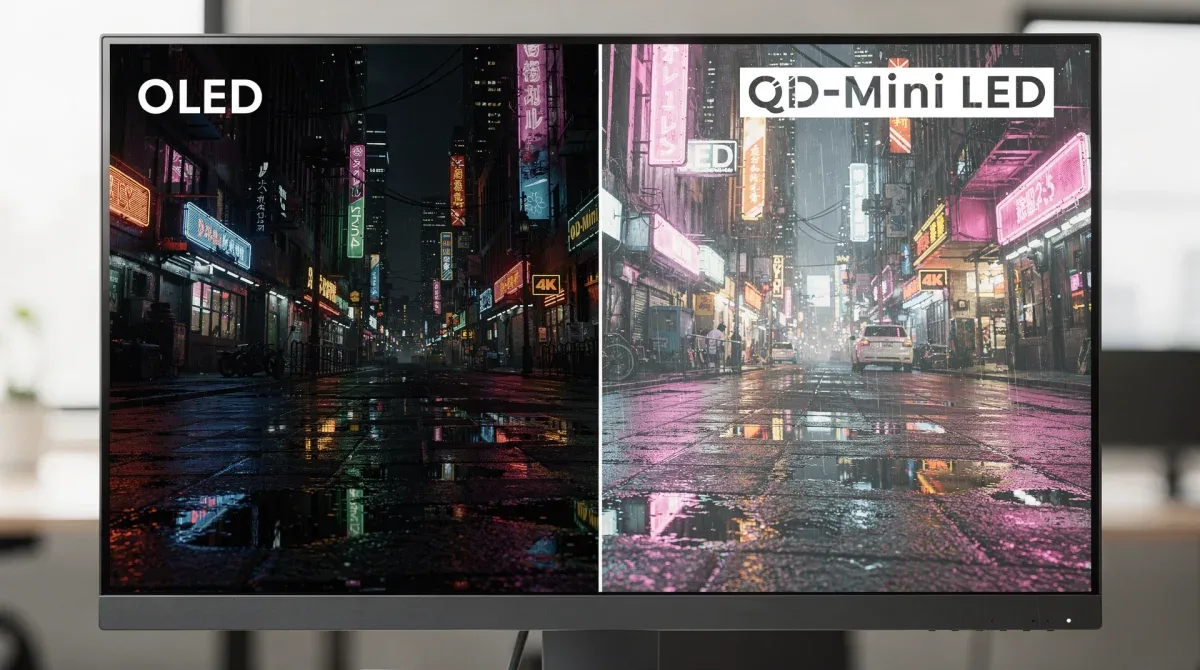
OLED technology is renowned for its perfect blacks and infinite contrast ratio. Each pixel is self-emissive, meaning it can turn off completely, resulting in true black. This provides an unparalleled depth to images and makes details in dark scenes incredibly clear. QD-Mini LED, while offering significantly improved contrast over standard LED, still relies on a backlight. Despite numerous local dimming zones, there's always a slight possibility of light bleeding, known as 'blooming,' around bright objects on a dark background. While modern QD-Mini LED monitors minimize this, OLED still holds the edge for absolute black levels.
Brightness and HDR Performance
This is where QD-Mini LED often shines. Due to its dedicated backlight system and high number of Mini LEDs, these monitors can achieve significantly higher peak brightness levels than OLED displays. This makes QD-Mini LED monitors particularly impressive for HDR content, delivering dazzling highlights and a more impactful visual experience, especially in well-lit rooms. OLED displays, while capable of excellent HDR, typically have lower peak brightness, which can sometimes limit the intensity of highlights in very bright scenes.
Color Accuracy and Volume
Both technologies offer excellent color accuracy and wide color gamuts. OLED's self-emissive nature allows for incredibly precise color reproduction, with colors appearing rich and vibrant. QD-Mini LED, enhanced by Quantum Dot technology, also delivers a broad spectrum of accurate colors. The main difference lies in color volume at high brightness. QD-Mini LED can maintain color saturation and accuracy even at very high brightness levels, which can be an advantage for certain professional applications that require vivid colors under bright conditions.
Response Time and Motion Handling
OLED panels boast near-instantaneous pixel response times, often as low as 0.1ms. This results in virtually no motion blur, making them exceptional for fast-paced content, gaming, and detailed video editing. QD-Mini LED monitors have very good response times, typically around 1ms, which is excellent for most users, but generally not quite as rapid as OLED. For the most demanding competitive gamers or professionals working with extremely high frame rates, OLED's speed can be a noticeable advantage.
Burn-in Risk
OLED displays have a theoretical risk of burn-in (permanent image retention) if static images are displayed for extended periods. While manufacturers have implemented various technologies to mitigate this, it remains a consideration for users who keep static elements on their screen for many hours daily, such as taskbars or software interfaces. QD-Mini LED technology does not suffer from burn-in, offering peace of mind for users with static UI elements.
In conclusion, the choice between OLED and QD-Mini LED often comes down to prioritizing either absolute black levels and instant response (OLED) or extreme brightness and robust HDR performance without burn-in concerns (QD-Mini LED). Both are premium technologies, but their strengths cater to slightly different user needs and preferences within the 4K display landscape.
Performance for Creative Professionals and Gamers
The demands of creative professionals and avid gamers push display technology to its limits. When evaluating OLED vs. QD-Mini LED monitors: how to choose the best 4K display for hybrid work, their respective performances in these specific scenarios become crucial. Both technologies offer significant upgrades over conventional displays, but their unique characteristics cater to different priorities within these demanding user groups.
Creative Professionals: Color, Contrast, and Detail
For graphic designers, video editors, photographers, and 3D artists, color accuracy and contrast are paramount. OLED monitors, with their perfect blacks and per-pixel illumination, offer an unparalleled canvas for creative work. The ability to render true black ensures that shadows are deep and details are not lost, while the wide color gamut provides a faithful representation of hues. This is vital for color grading, retouching, and ensuring that the final output matches the artist's vision. The instant response time also benefits video editors, allowing for smoother scrubbing through footage without motion artifacts.
QD-Mini LED monitors, with their high peak brightness and excellent color volume, also present a strong case. For professionals working with HDR content, the dazzling highlights and vibrant colors of QD-Mini LED can be incredibly impactful. While blooming can be a minor concern in extreme dark scenes, the overall image quality for most creative tasks is exceptional, especially in well-lit studio environments where high brightness helps maintain visual integrity.
Gamers: Response Time, Refresh Rate, and Immersion
Gamers prioritize fast response times, high refresh rates, and immersive visuals. OLED monitors are a dream for competitive gamers due to their near-instantaneous response times, which virtually eliminate ghosting and motion blur. This provides a significant advantage in fast-paced games where every millisecond counts. Combined with high refresh rates (120Hz, 144Hz, or even higher), OLED offers an incredibly fluid and responsive gaming experience. The perfect blacks and vibrant colors also contribute to a deeply immersive atmosphere, making game worlds feel more alive and detailed.
QD-Mini LED monitors are also excellent for gaming. They typically offer high refresh rates and very good response times, providing a smooth gaming experience. Their superior brightness makes HDR games truly spectacular, with brilliant explosions and lifelike environments. While not quite as instant as OLED in terms of pixel response, the difference is often imperceptible to most gamers. The lack of burn-in risk is also a significant advantage for gamers who might spend countless hours on games with static HUD elements.
In essence, creative professionals might lean towards OLED for its absolute color precision and perfect blacks, while gamers could find OLED's speed irresistible. However, QD-Mini LED provides a highly capable alternative for both, particularly for those who value extreme brightness and are cautious about burn-in, offering a premium experience that satisfies most high-end demands.
Ergonomics and Features for Hybrid Work Environments
Beyond raw display performance, the usability and ergonomic features of a monitor play a crucial role in a hybrid work setup. When considering OLED vs. QD-Mini LED monitors: how to choose the best 4K display for hybrid work, it's not just about what's on the screen, but also how the monitor integrates into your daily routine and supports your well-being. A monitor that causes discomfort or lacks essential connectivity can hinder productivity, regardless of its visual prowess.
Adjustability and Stand Design
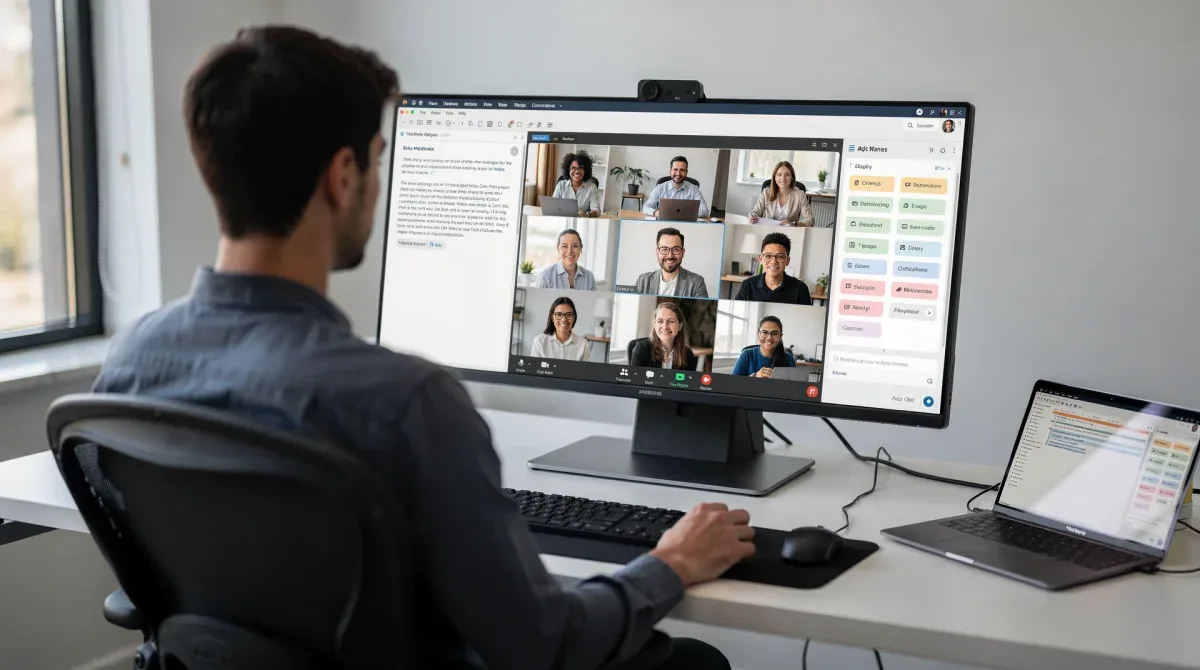
A good monitor stand is non-negotiable for ergonomic comfort. Look for monitors that offer comprehensive adjustability, including height, tilt, swivel, and pivot. The ability to adjust the screen to your eye level and preferred angle can prevent neck strain and improve posture throughout long working hours. Many premium 4K monitors, whether OLED or QD-Mini LED, come with robust, ergonomic stands. However, always check the specifications, as some ultra-thin or specialized monitors might have limited adjustability, necessitating a VESA mount compatible arm.
Connectivity Options
Hybrid work often involves connecting various devices: laptops, docking stations, external drives, and peripherals. A monitor with a wide array of ports is invaluable. Key connections to look for include:
- USB-C with Power Delivery: This is a game-changer for laptop users, allowing a single cable to transmit video, data, and power, decluttering your desk.
- HDMI 2.1: Essential for full 4K resolution at high refresh rates, especially if connecting modern gaming consoles or high-performance GPUs.
- DisplayPort 1.4: Another crucial port for high-resolution, high-refresh-rate connections, common with desktop PCs.
- USB Hub: Built-in USB ports (USB-A, USB-B upstream) on the monitor act as a convenient hub for connecting keyboards, mice, webcams, and other accessories.
The presence of these ports can significantly streamline your setup, reducing cable clutter and simplifying the process of switching between personal and work devices.
Eye Comfort Features
Staring at a screen for hours can lead to eye strain. Modern monitors incorporate features designed to reduce this:
- Flicker-Free Technology: Eliminates screen flickering, which can be a major cause of eye fatigue.
- Low Blue Light Modes: Reduces the emission of blue light, which can disrupt sleep patterns and cause eye discomfort. Many monitors offer software-based solutions or hardware filters.
- Ambient Light Sensors: Automatically adjust screen brightness based on the room's lighting conditions, ensuring comfortable viewing throughout the day.
Both OLED and QD-Mini LED monitors often include these features, but it's worth verifying their implementation. For OLED, the natural reduction of blue light from its self-emissive pixels can be an added benefit.
Ultimately, a monitor is more than just a screen; it's a central hub for your productivity. Prioritizing ergonomic adjustability, comprehensive connectivity, and eye comfort features ensures that your chosen 4K display, whether OLED or QD-Mini LED, enhances rather than detracts from your hybrid work efficiency and well-being.
Cost-Benefit Analysis: Investing in a 4K Monitor
The decision to invest in a premium 4K monitor, particularly an OLED or QD-Mini LED, involves a careful cost-benefit analysis. While both technologies offer superior visual experiences, their price points and long-term value propositions differ. When evaluating OLED vs. QD-Mini LED monitors: how to choose the best 4K display for hybrid work, it's essential to consider not just the initial purchase price, but also the overall value relative to your specific needs and budget.
Initial Investment: Price Points
Generally, OLED monitors, especially larger formats or those with the latest panel technology, tend to command a higher premium. This is due to the complex manufacturing process and the cutting-edge nature of individual pixel control. However, as OLED technology matures, prices are becoming more competitive. QD-Mini LED monitors, while also premium, can sometimes be found at slightly lower price points, especially for models that don't push the absolute limits of dimming zones or refresh rates. The price difference can vary significantly based on brand, size, and specific features.
Long-Term Value and Durability
The long-term value of your investment hinges on durability and technological longevity. QD-Mini LED monitors, being an evolution of mature LCD technology, are generally considered very durable and immune to burn-in. This makes them a safe long-term investment for users who plan to keep their monitor for many years, especially if static elements are a constant presence on their screen. OLED technology has made significant strides in burn-in prevention, but the theoretical risk still exists. For users who prioritize absolute image quality and are mindful of screen usage, modern OLEDs can offer excellent longevity. However, for sheer peace of mind regarding static content, QD-Mini LED often has an edge.
Return on Investment for Professionals
For creative professionals, the enhanced color accuracy and contrast of an OLED monitor can directly translate into improved work quality and efficiency. The ability to see true blacks and precise colors can reduce revision cycles and enhance client satisfaction, potentially leading to a higher return on investment through better project outcomes. Similarly, for data analysts or programmers, the crisp text and reduced eye strain from a high-quality 4K display can boost productivity over extended periods.
For gamers, the investment in either technology provides a premium entertainment experience. The immersive visuals and rapid response times can justify the cost for enthusiasts who spend significant time gaming. The choice here often comes down to personal preference for either OLED's perfect blacks or QD-Mini LED's intense brightness.
Maintenance and Warranty
Consider the manufacturer's warranty and support. Reputable brands typically offer good warranties for both OLED and QD-Mini LED monitors. It's also worth researching user reviews regarding customer service and how issues, if any, are handled. Proper care, such as regular screen cleaning and adhering to recommended usage practices, can extend the life of any high-end monitor.
In conclusion, the investment in an OLED or QD-Mini LED 4K monitor is a significant one. While OLED often comes with a higher initial cost and a slight burn-in consideration, its visual fidelity is unmatched. QD-Mini LED offers a robust, bright, and durable alternative, often at a more accessible premium price point. Your personal workflow, budget, and tolerance for potential risks should guide your decision in this high-stakes display market.
Making the Right Choice: Your Hybrid Work Needs
The ultimate decision between an OLED and a QD-Mini LED 4K monitor for hybrid work hinges entirely on your specific needs, priorities, and usage patterns. There's no single "best" display for everyone; instead, it's about aligning the technology's strengths with your daily tasks and preferences. When considering OLED vs. QD-Mini LED monitors: how to choose the best 4K display for hybrid work, a personalized assessment of your workflow is paramount.
Consider Your Primary Tasks
Begin by evaluating what you spend most of your monitor time doing:
- Creative Work (Photo/Video Editing, Graphic Design): If color accuracy, perfect blacks, and infinite contrast are critical for your professional output, an OLED monitor will likely offer a more precise and visually rewarding experience. The subtle nuances in shadows and vibrant color reproduction can make a significant difference in your work.
- General Productivity & Office Applications: For tasks like document editing, spreadsheets, web browsing, and video conferencing, both technologies offer excellent performance. A QD-Mini LED might be preferable if you work in a very bright environment and need higher peak brightness to combat glare, or if you frequently have static elements on your screen for extended periods.
- Gaming & Entertainment: If gaming is a major part of your hybrid setup, OLED's instant response time and deep immersion are hard to beat. However, QD-Mini LED's high brightness and excellent HDR for games, combined with no burn-in risk, make it a very strong contender, especially for those who play games with static HUDs for many hours.

Assess Your Work Environment
- Brightly Lit Rooms: If your office or home setup is bathed in natural light, a QD-Mini LED monitor's superior peak brightness will likely perform better, maintaining image clarity and reducing reflections more effectively than an OLED.
- Dimly Lit or Controlled Lighting Environments: In spaces with controlled lighting, where glare is less of an issue, an OLED's perfect blacks and contrast will truly shine, providing a cinematic experience for both work and entertainment.
Factor in Your Budget and Longevity Concerns
While both are premium technologies, budget considerations are always present. Set a realistic budget and see which models from each category fit. Also, weigh the burn-in concerns. If the thought of potential burn-in with static elements causes anxiety, a QD-Mini LED offers peace of mind. If you are meticulous about screen care and prioritize absolute visual perfection, an OLED can be a justifiable investment.
Ultimately, the best 4K display for your hybrid work setup is one that balances stunning visuals with practical functionality and peace of mind. By carefully considering your specific needs, environment, and budget, you can confidently choose between OLED and QD-Mini LED, ensuring your investment enhances productivity and enjoyment for years to come.
| Feature | Description |
|---|---|
| OLED Contrast | Perfect blacks and infinite contrast due to self-emissive pixels. |
| QD-Mini LED Brightness | Superior peak brightness, excellent for HDR and bright environments. |
| Response Time | OLED offers near-instant response; QD-Mini LED is very fast but slightly less so. |
| Burn-in Risk | OLED has theoretical burn-in risk; QD-Mini LED is immune. |
Frequently Asked Questions About 4K Monitors
Is OLED or QD-Mini LED better for everyday office work?▼For everyday office work, both are excellent. QD-Mini LED might be slightly preferred in bright offices due to higher peak brightness and no burn-in risk. OLED offers superior text clarity with its perfect blacks, but burn-in could be a minor concern with static UI elements over many years.
Do OLED monitors still suffer from burn-in?▼Modern OLED monitors have significantly reduced the risk of burn-in through various technologies like pixel shifting and logo dimming. While the theoretical risk remains, for typical hybrid work usage, it's less of a concern than in early generations, especially with varied content.
Which technology offers better HDR performance?▼'>QD-Mini LED generally offers superior HDR performance due to its ability to achieve significantly higher peak brightness levels. This allows for more dazzling highlights and a greater dynamic range, making HDR content truly pop, especially in well-lit viewing environments.
Is the response time difference between OLED and QD-Mini LED noticeable?▼OLED has near-instant response times (around 0.1ms), while QD-Mini LED is typically around 1ms. For most users, this difference is imperceptible. However, competitive gamers or professionals working with extremely fast-moving content might notice OLED's slightly smoother motion handling.
Are these monitors suitable for graphic design and video editing?▼Absolutely. Both OLED and QD-Mini LED monitors offer exceptional color accuracy and wide color gamuts, making them ideal for graphic design and video editing. OLED excels with perfect blacks for detail in shadows, while QD-Mini LED provides excellent color volume at high brightness for HDR content creation.
Conclusion
Choosing between OLED and QD-Mini LED 4K monitors for your hybrid work setup is a nuanced decision, reflecting a balance between cutting-edge visual fidelity and practical considerations. Both technologies represent the pinnacle of display innovation, each offering distinct advantages. OLED delivers unparalleled contrast with perfect blacks and instant response times, making it ideal for creative professionals demanding absolute color precision and gamers seeking ultimate immersion. QD-Mini LED counters with superior peak brightness, robust HDR performance, and immunity to burn-in, making it a strong contender for bright environments and users prioritizing long-term durability with static content. Ultimately, the best choice aligns with your specific workflow, environmental conditions, and personal preferences, ensuring that your investment enhances both productivity and visual enjoyment in the dynamic landscape of hybrid work.
